We live busy lives so being able to mass edit services can be really helpful.
Using teammates to connect services together is the solution to this on Cowlendar.
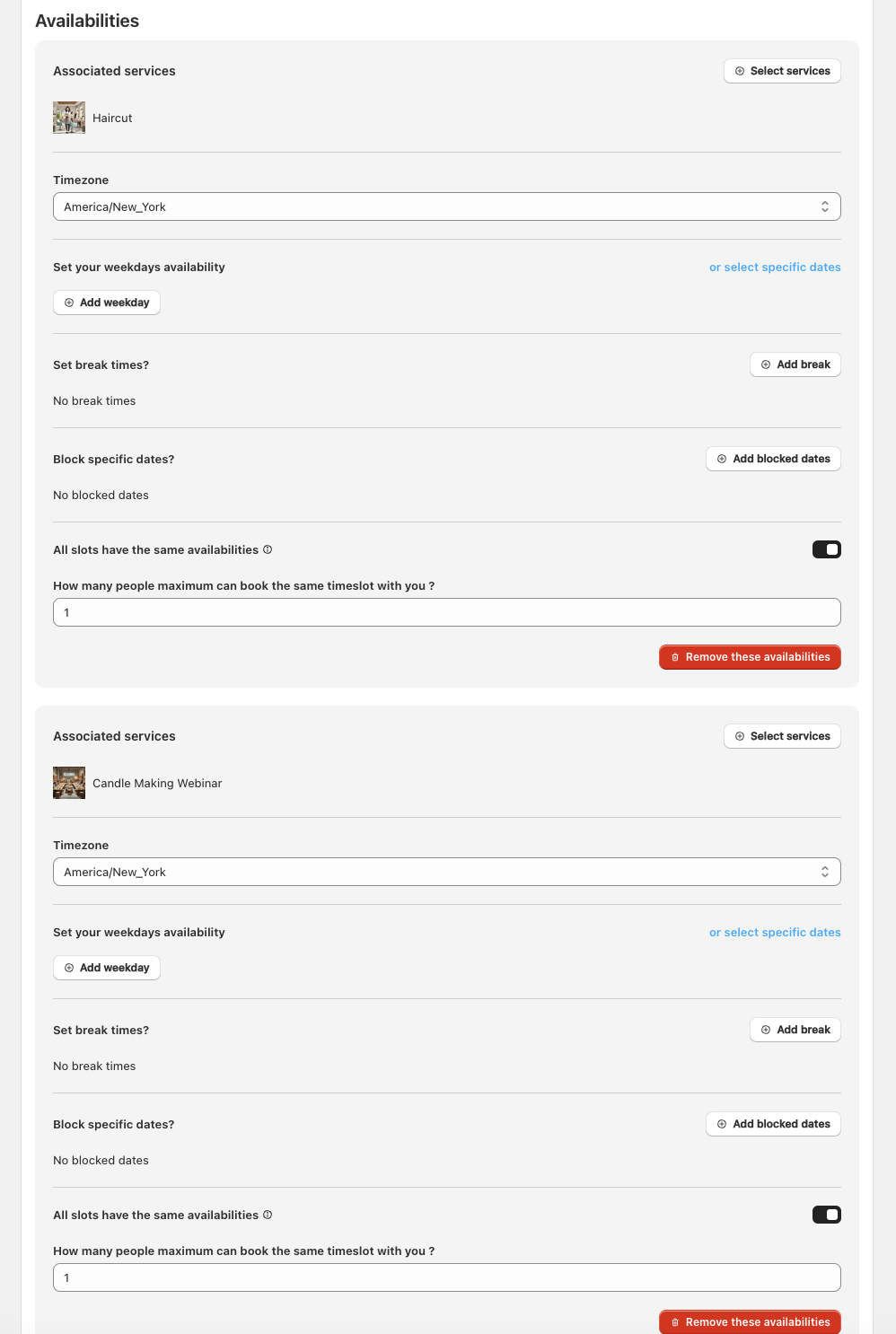
Basically we will be creating a teammate to group a specific set of services into this "pseudo teammate". By doing this you will be able to simply edit the teammate to apply availiability changes to a large set of services.
Steps to mass edit a group of services:
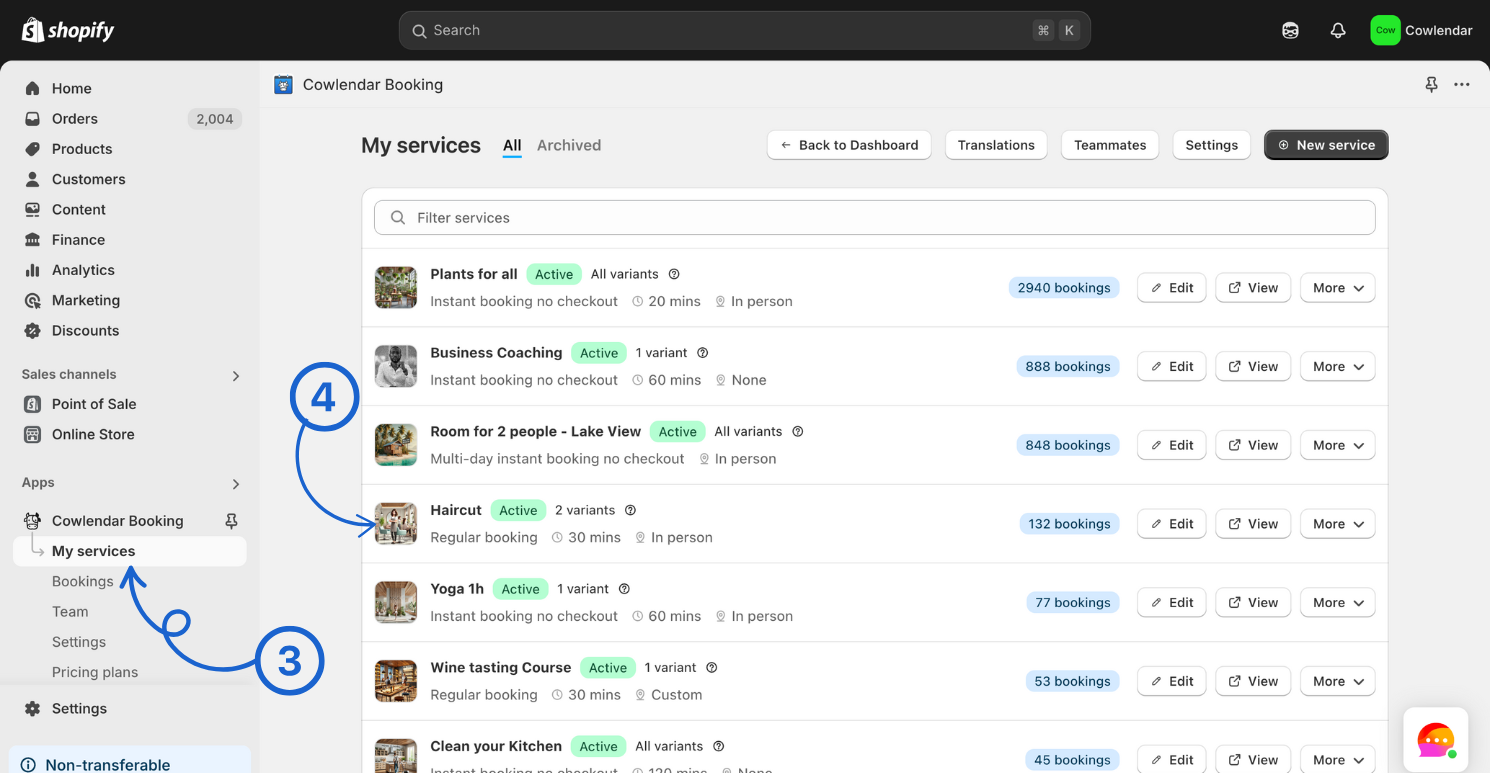
In your Shopify admin dashboard look at the left hand panel and click on Apps.
Click on Cowlendar.
Click click on My Service.
Click Edit on the service you want to attach to a teammate.
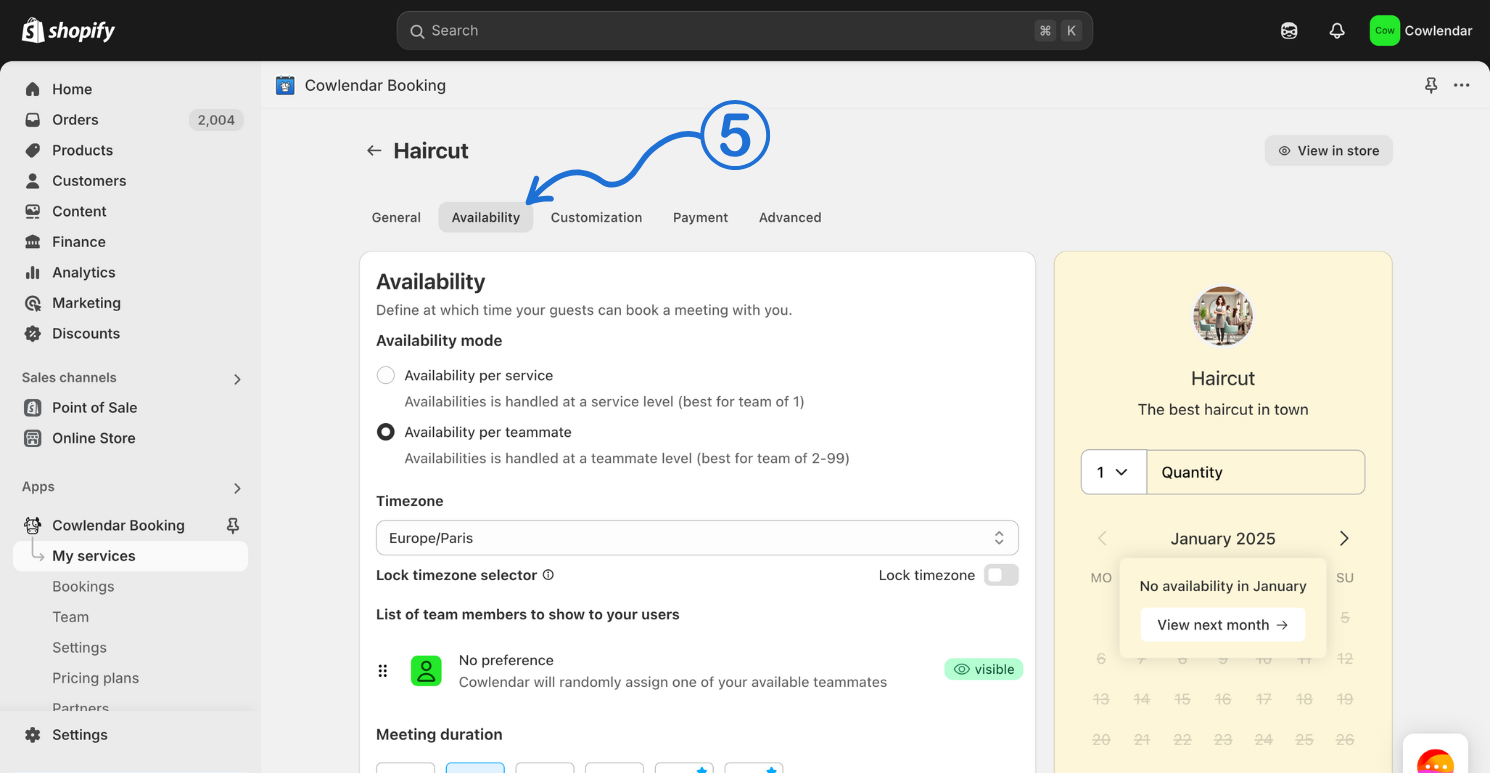
Click on the Availability tab
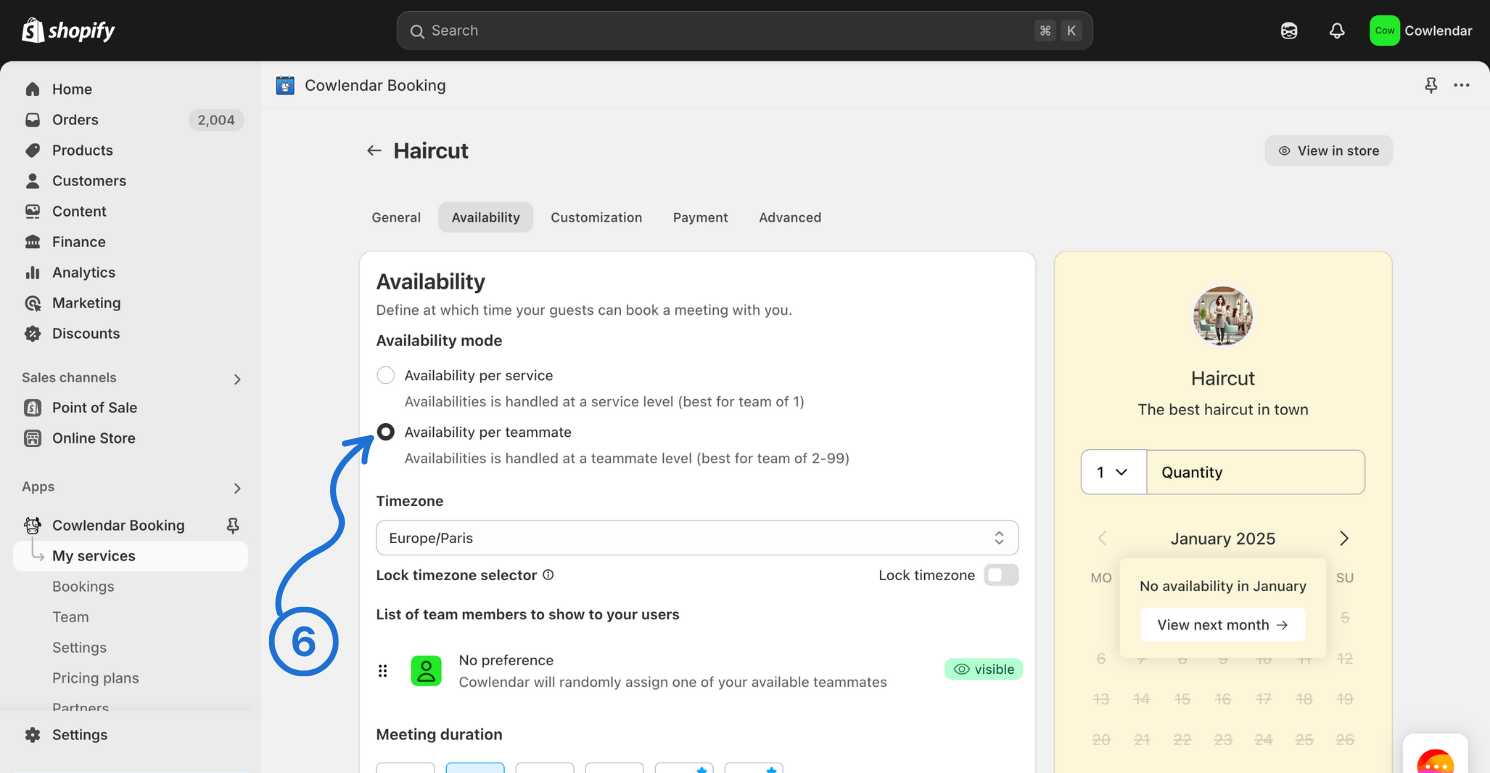
Set the service to Availability per teammate.
Looking at the left side of your Shopify admin dashboard click on Team.
Click on Add a teammate.
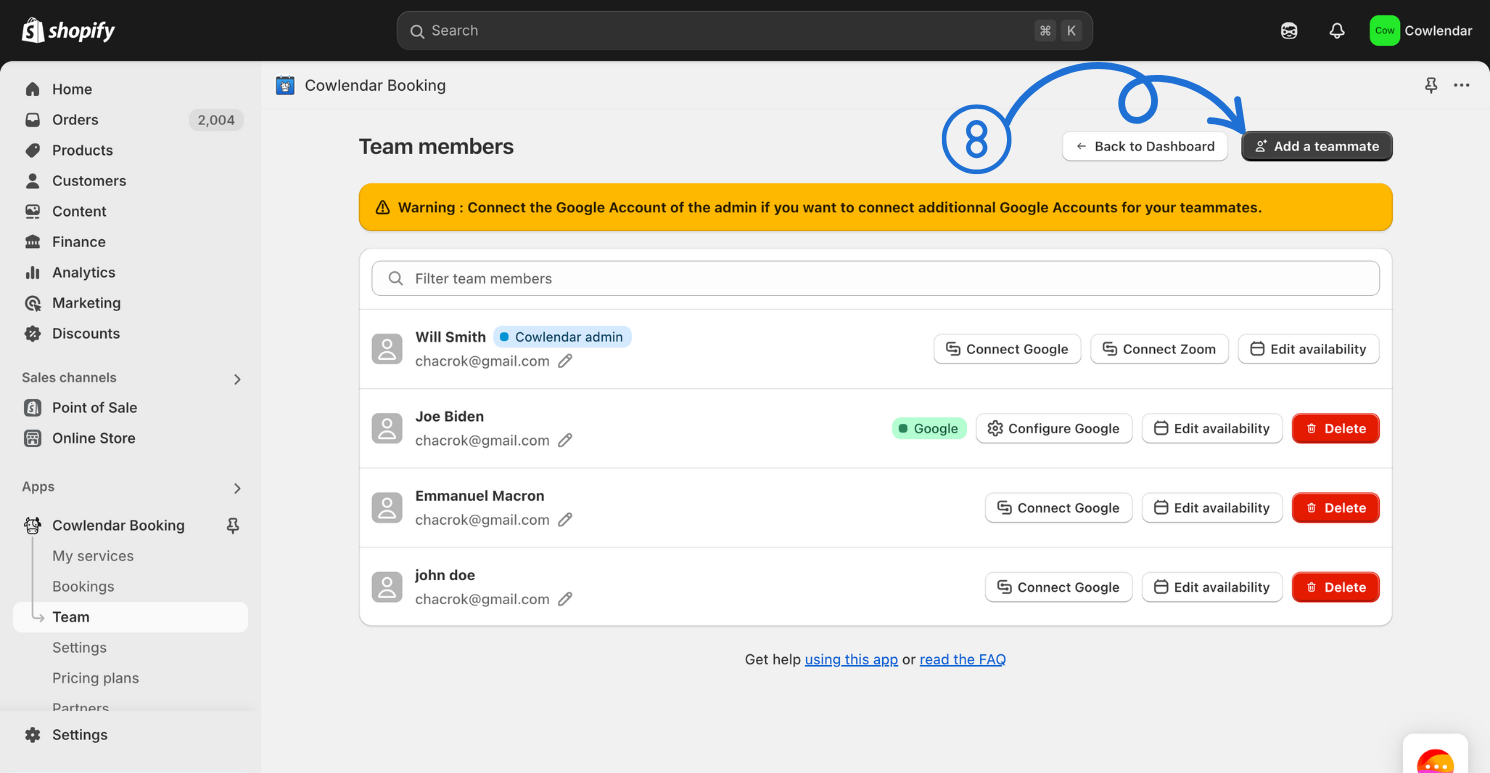
Create your pseudo teammate (aka the teammate that will be used to group the services)
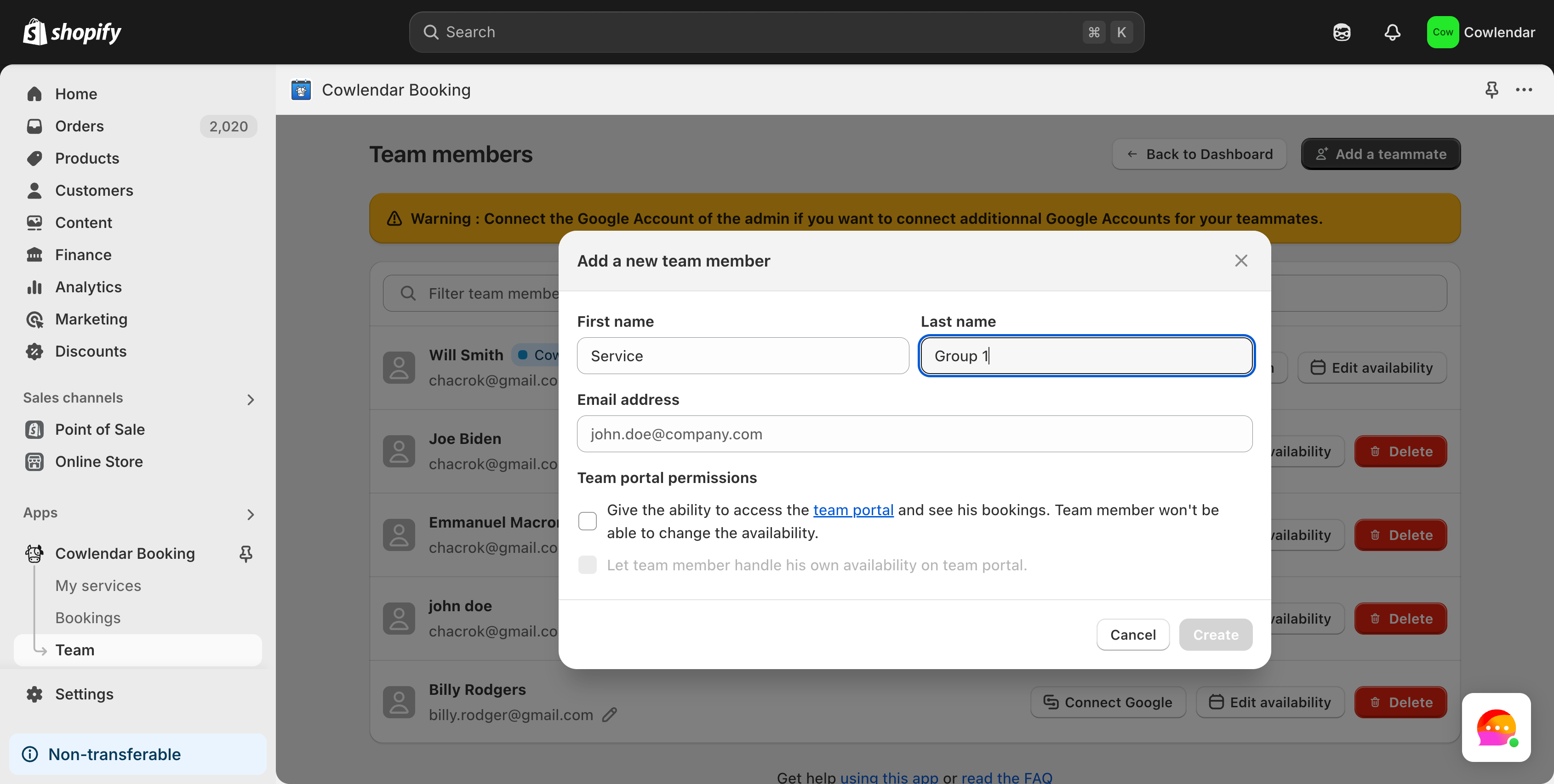
Click Create.
Click Edit Availability on the teammate you just created.
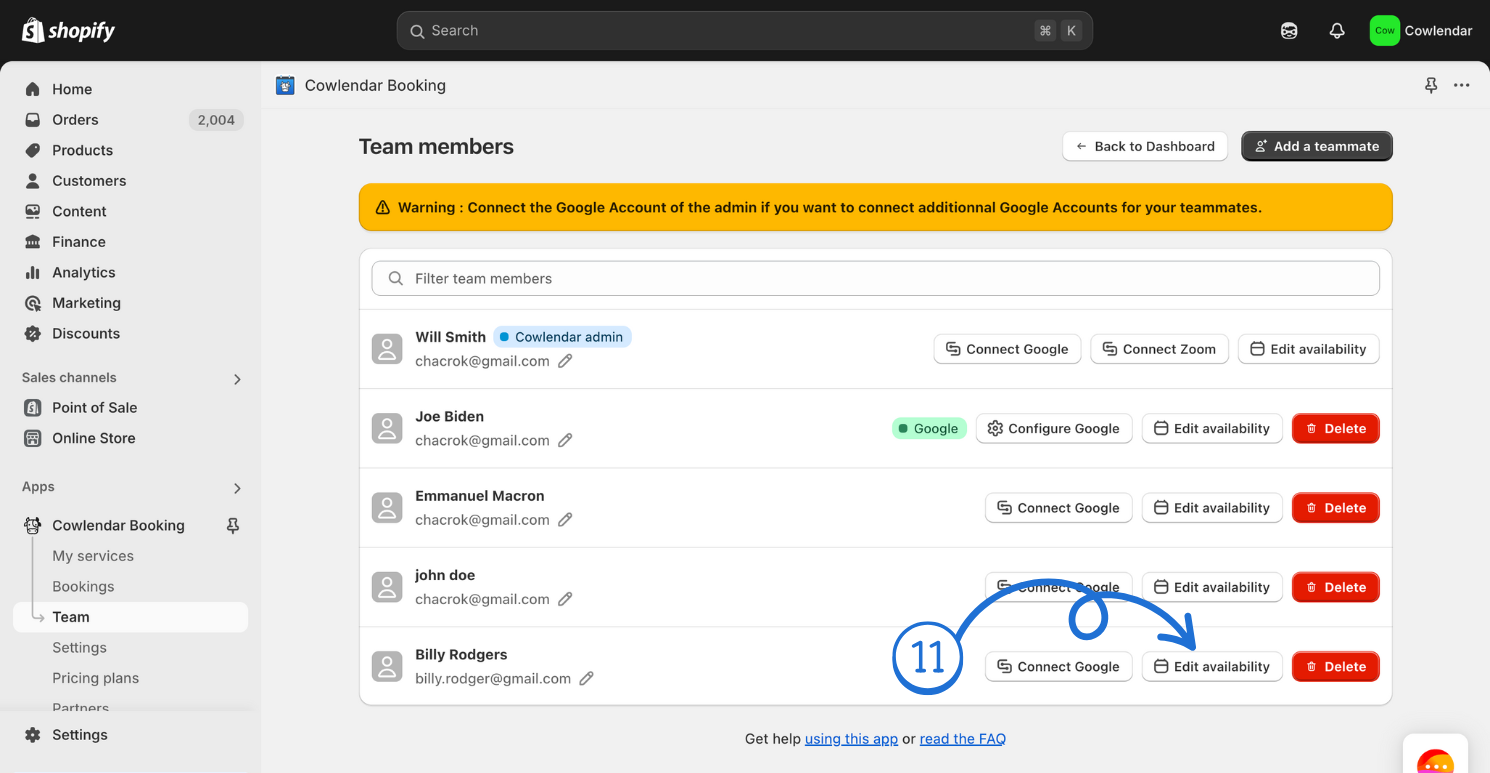
Scroll down and click Add new availabilities.
Click on Select Services.
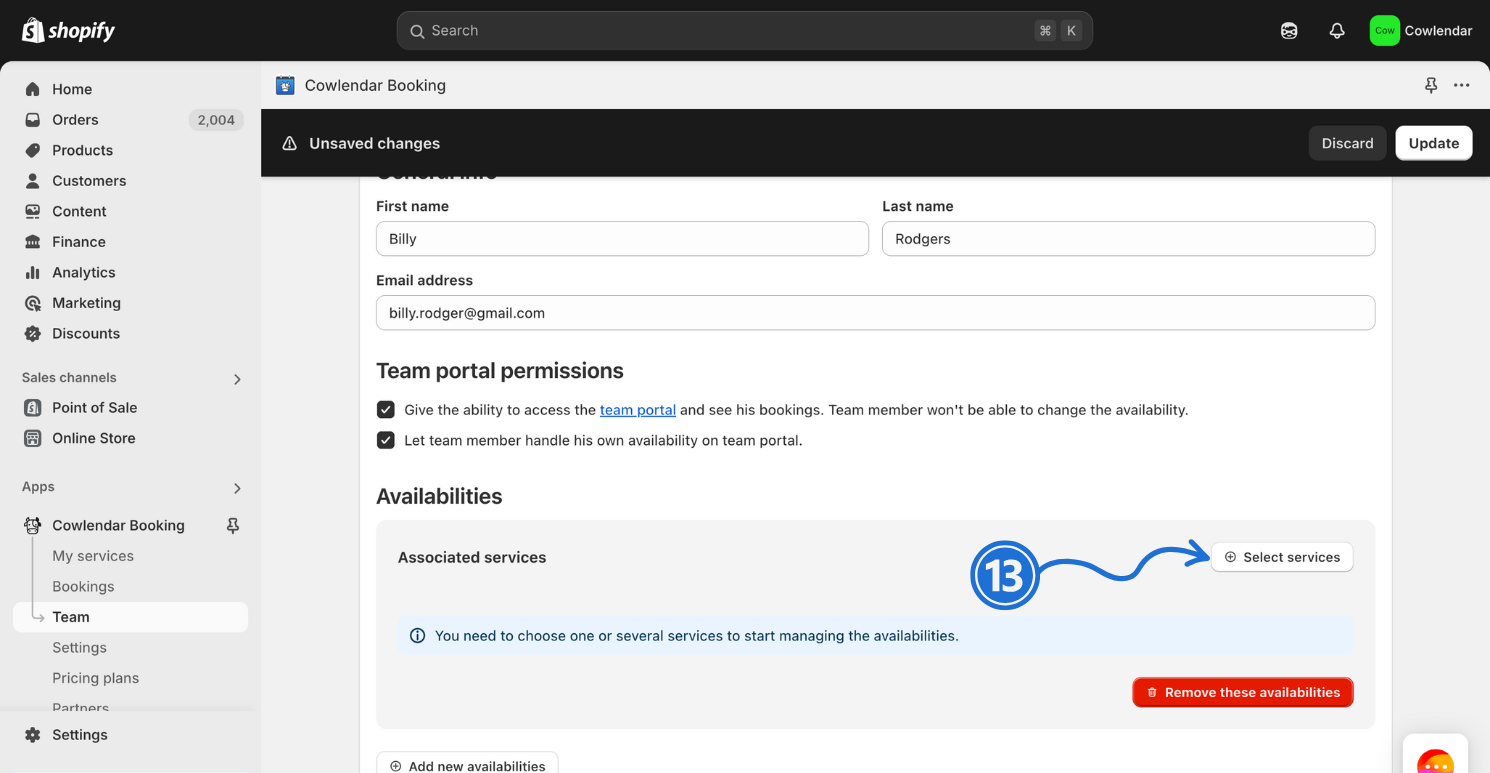
Select all the services you enabled availability per teammate on.
Adjust the availability to match the services schedule.
This screenshot below represents what it looks like in the teammate availability when you have two unique services (with unique schedules) under one teammate.