🔒 How to lock the quantity in the Shopify cart once a Cowlendar booking is made
*
Prevent Quantity Changes in Shopify Cart After Booking with Cowlendar
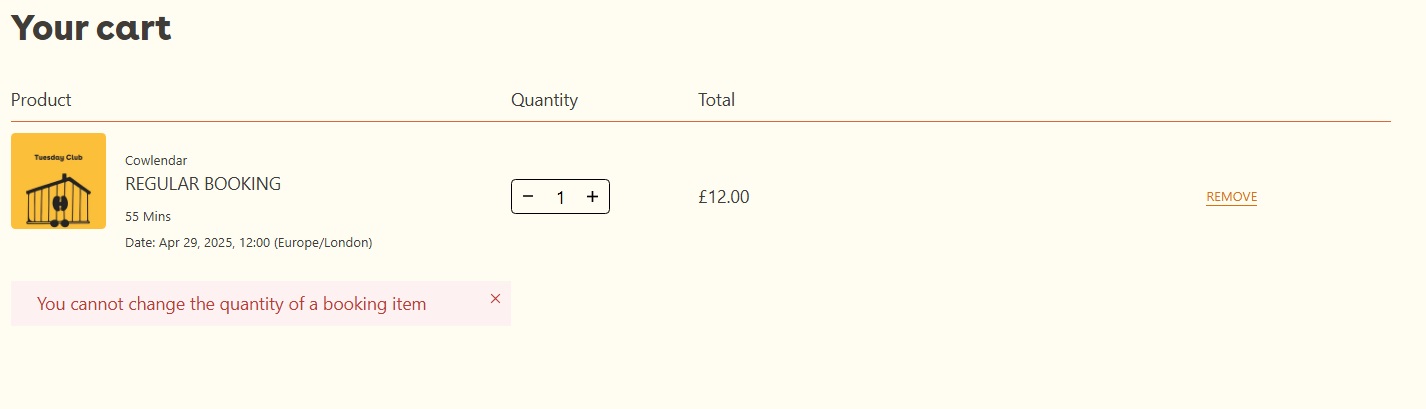
When you enable the "Lock quantity after booking" feature in Cowlendar, customers will no longer be able to change the quantity of the booked service in the Shopify cart. This helps prevent accidental overbooking and ensures each reservation is handled exactly as intended, providing a smoother and more controlled checkout experience
How to enable Cowlendar's cart-checkout validation rule
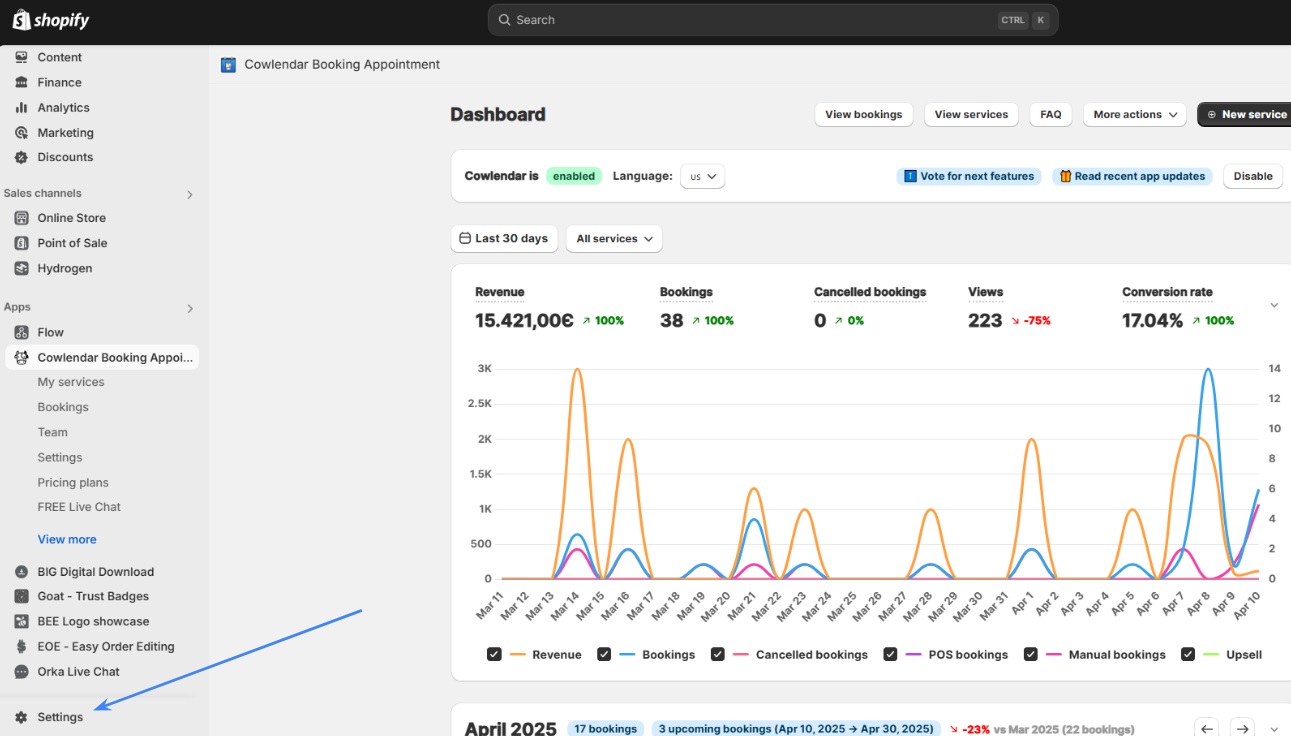
Go to your Shopify Dashboard
Click on “Settings” (bottom-left corner)
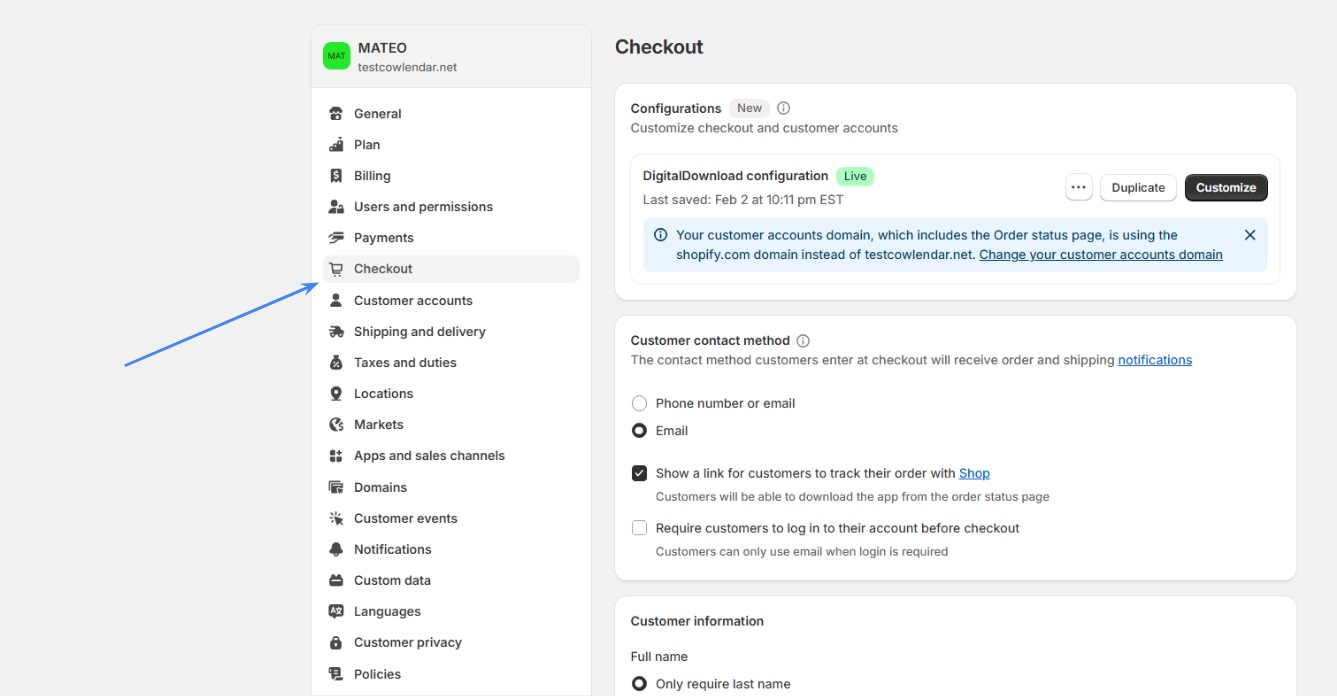
Select the “Checkout” section
Scroll down to the bottom until you see “Checkout Rules”
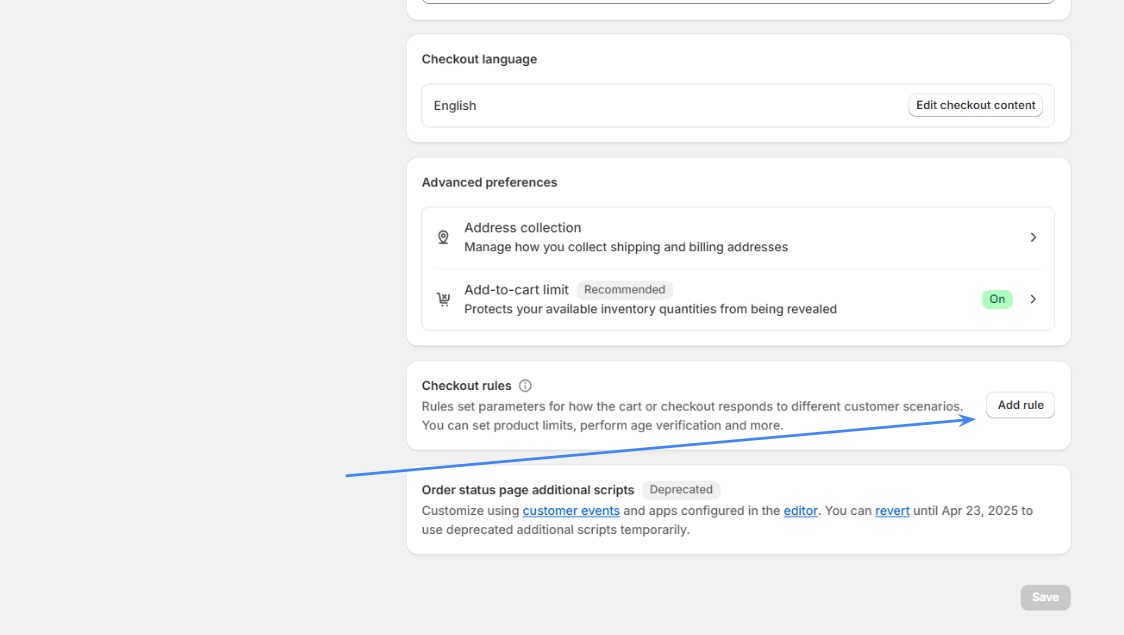
Click on “Add Rule”
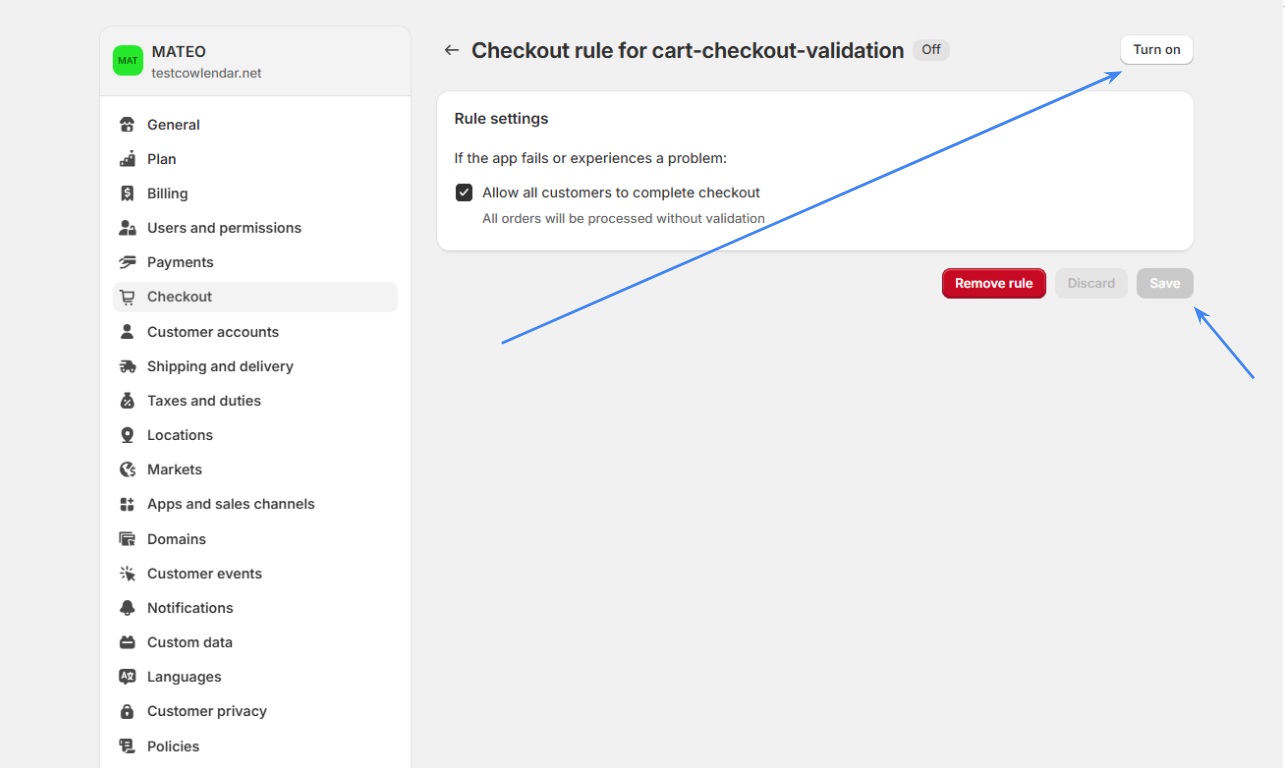
Choose “cart-checkout-validation” by Cowlendar
Make sure the option “Allow all customers to complete checkout” is enabled and turn on the rule and save the changes.