Availability per service allows you to define all availability rules directly inside a service.\
This setup is unique to the selected service and does not depend on teammates’ individual schedules.
It’s ideal for services with fixed availability, such as workshops, consultations, classes, or events.
📲 Step-by-Step: Configure Availability per Service
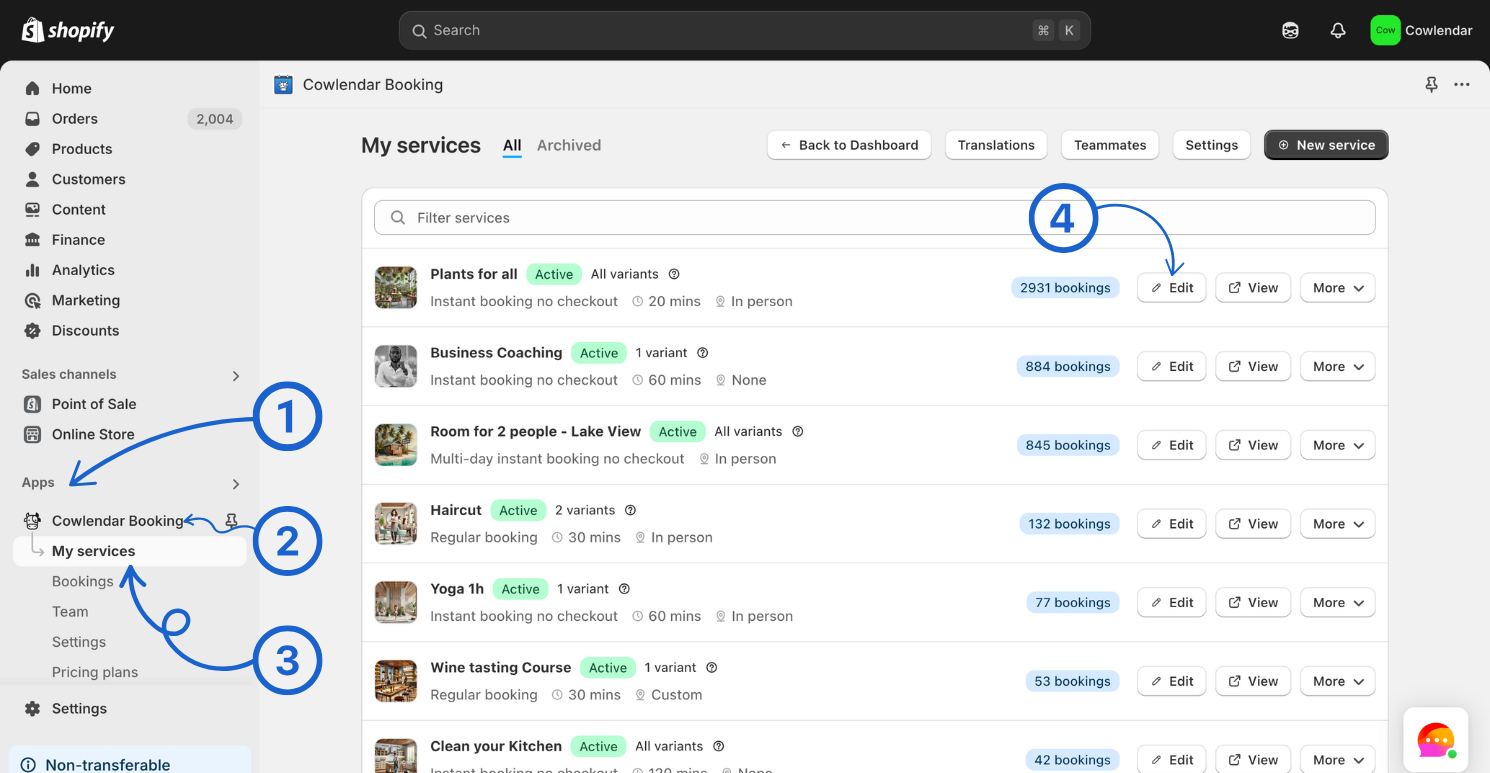
- From your Shopify admin, go to Apps.
- Open Cowlendar.
- Click on My Services.
- Find the service you want to edit and click Edit.
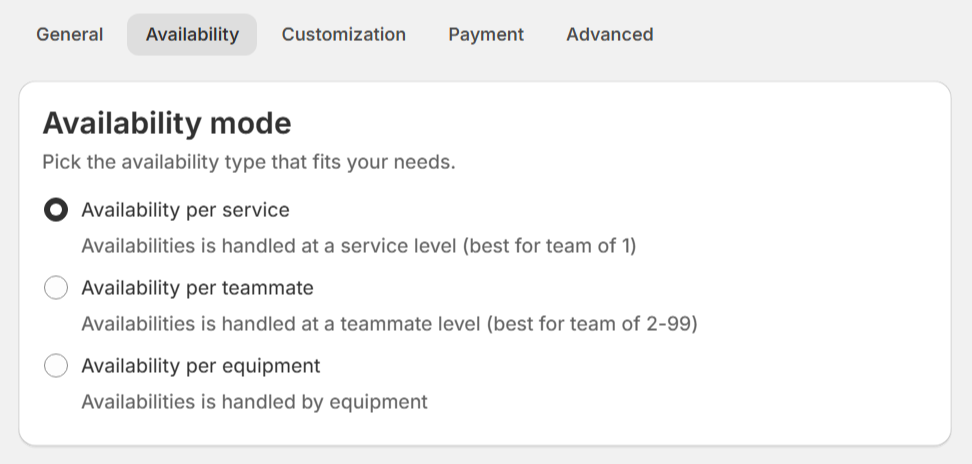
- Go to the Availability tab.
- Make sure Availability mode is set to Availability per service.
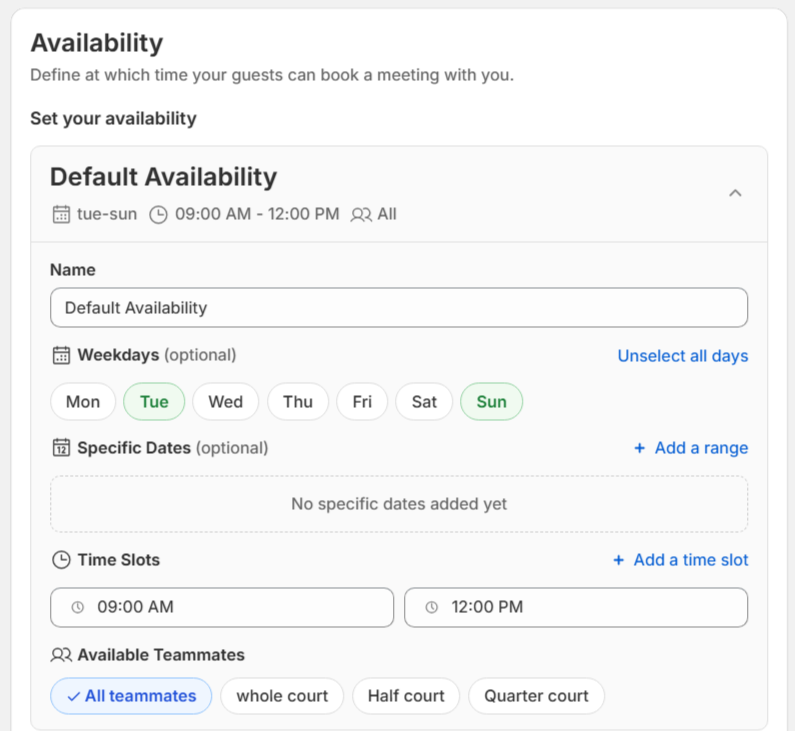
- Just below Availability mode, you’ll find the Availability section.
🕒 Understanding Availability Settings
Each availability block allows you to fully customize when your service can be booked:
Set a title for the availability.
👉This title is internal only and visible only inside the service settings.
Select the days of the week when the service is available.
👉 By default, all weekdays are selected, but you can deselect any day.
Add one or multiple specific dates when the service should be available.
Define one or more time slots within the same availability block.
Choose which teammates are available for this service.
👉 By default, it’s set to All teammates, meaning every created teammate can be assigned to the booking.
➕ Add Multiple Availabilities
You can click Add availability to create additional availability blocks.
- There is no limit to the number of availabilities you can create.
- Multiple availabilities can coexist within the same service, allowing advanced scheduling setups.
🔧 Common Availability Configurations
Below are some common use cases you can build using availability per service.
1️⃣ Weekdays + Specific Weekend Date
Offer regular weekday availability plus a special weekend date for a one-time event.
Example:\
A weekly class from Monday to Friday, plus a special Saturday workshop.
→ How To Set Weekdays + Specific Weekend Date2️⃣ Weekdays Available Only on Specific Dates
Limit availability to certain weekdays only within a defined date range.
Example:\
Offer bookings Monday to Wednesday, only during January to March.
→ How To Set Weekdays Available Only On Specific Dates3️⃣ Specific Dates with Different Time Slots
Offer bookings on specific dates, where each date can have different time slots or booking limits per slot.
Example:\
An event with multiple dates, where each date has a different capacity or schedule.
→ How To Set Specific Dates With Different Time Slots