
How to Show Both Add to Cart and Book Now Buttons
Display both "Book Now" and "Add to Cart" buttons on the same product page simultaneously.
🆎 How do I show the add to cart button and book now button?
Well being honest you cannot display both at the same time because the way Cowlendar works is that it converts the Add to cart button into a Book now button...
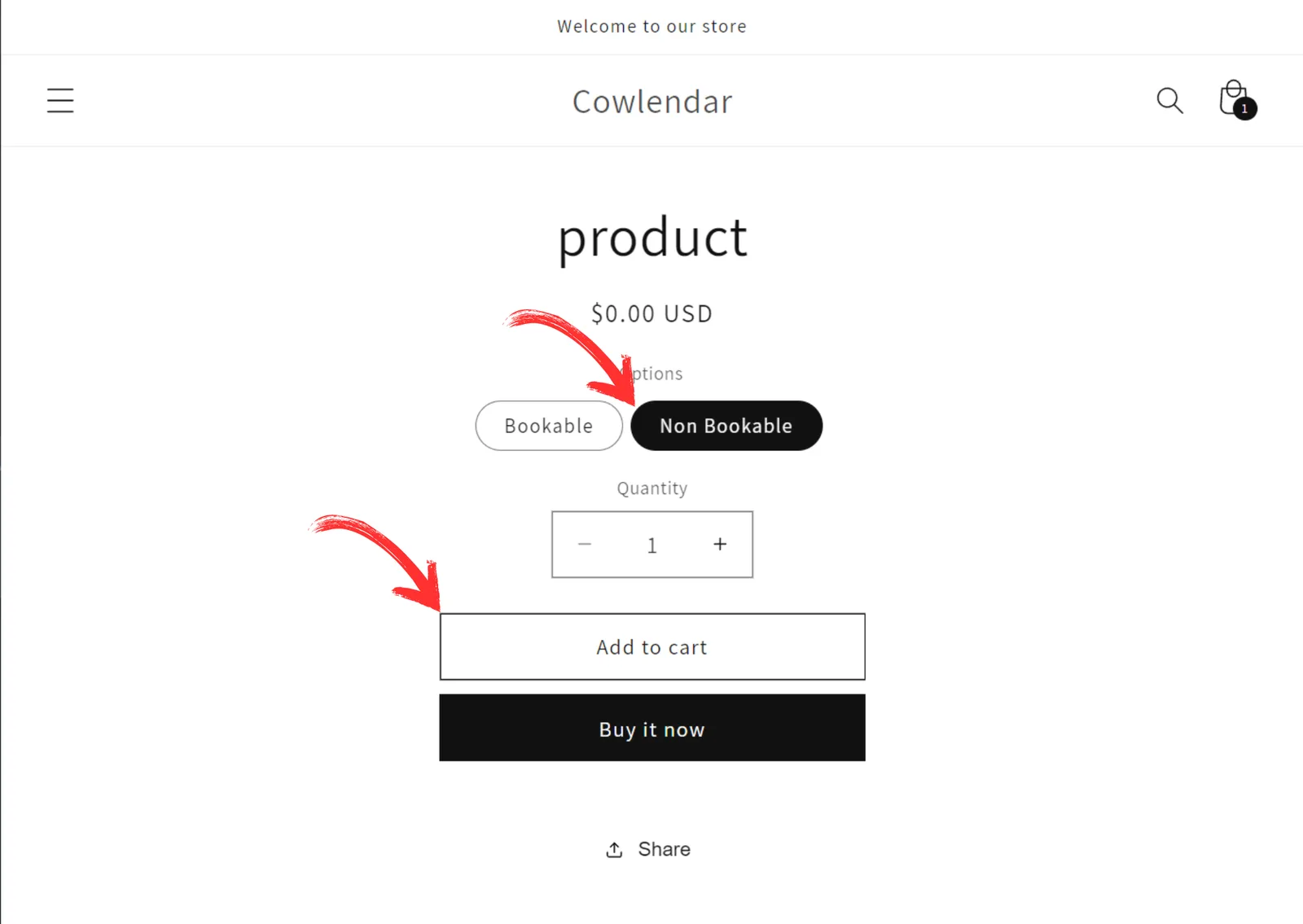
Buttt that being said! You can make it so that the customer has the option to either add to cart or book now
How would you do this?
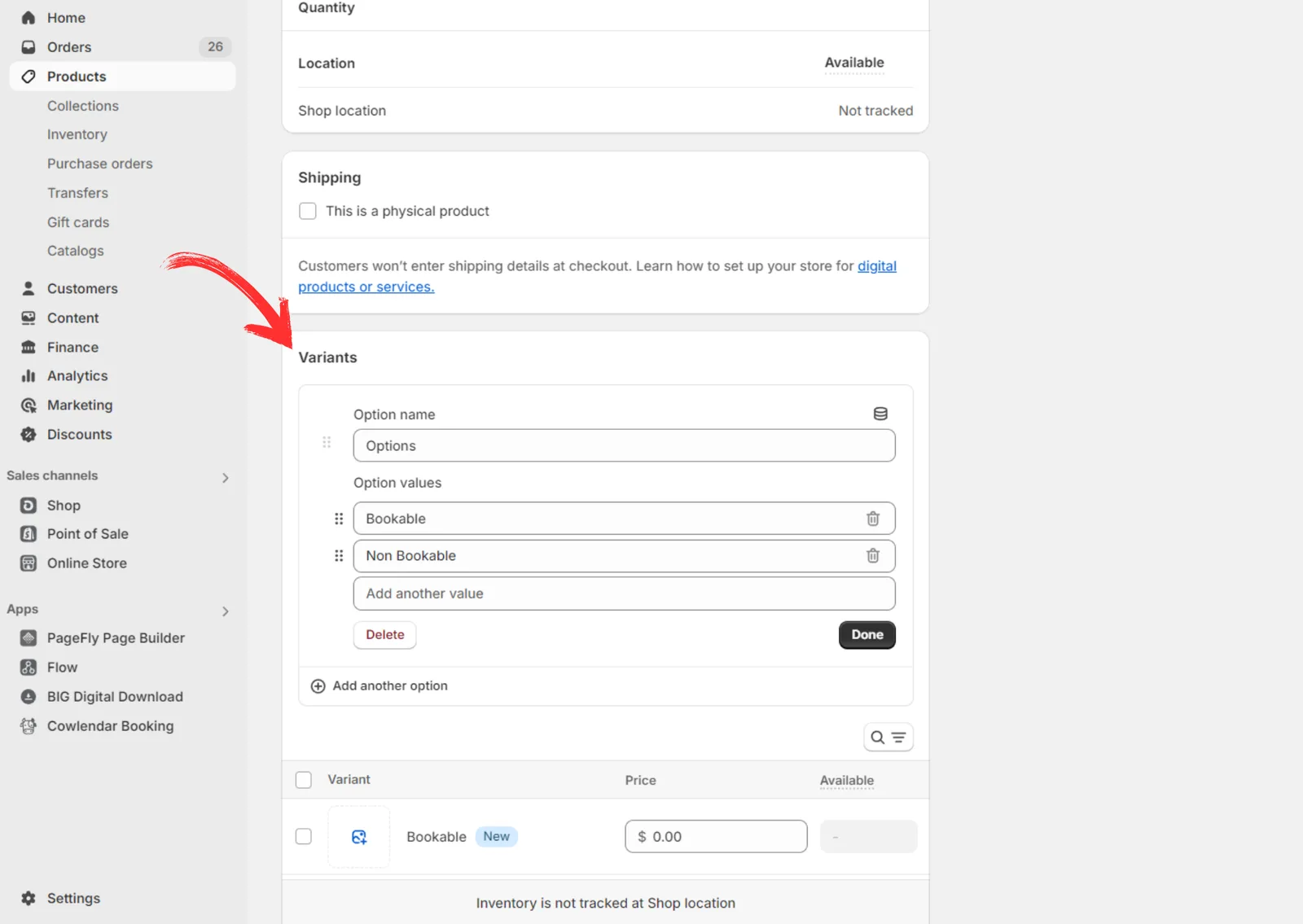
All you would need to do is create two variants for the product you linked to your service
So you would go into your Shopify admin and into Products > Click on the product
You will add a variant with two options and name them something like "Bookable" and "Non Bookable"
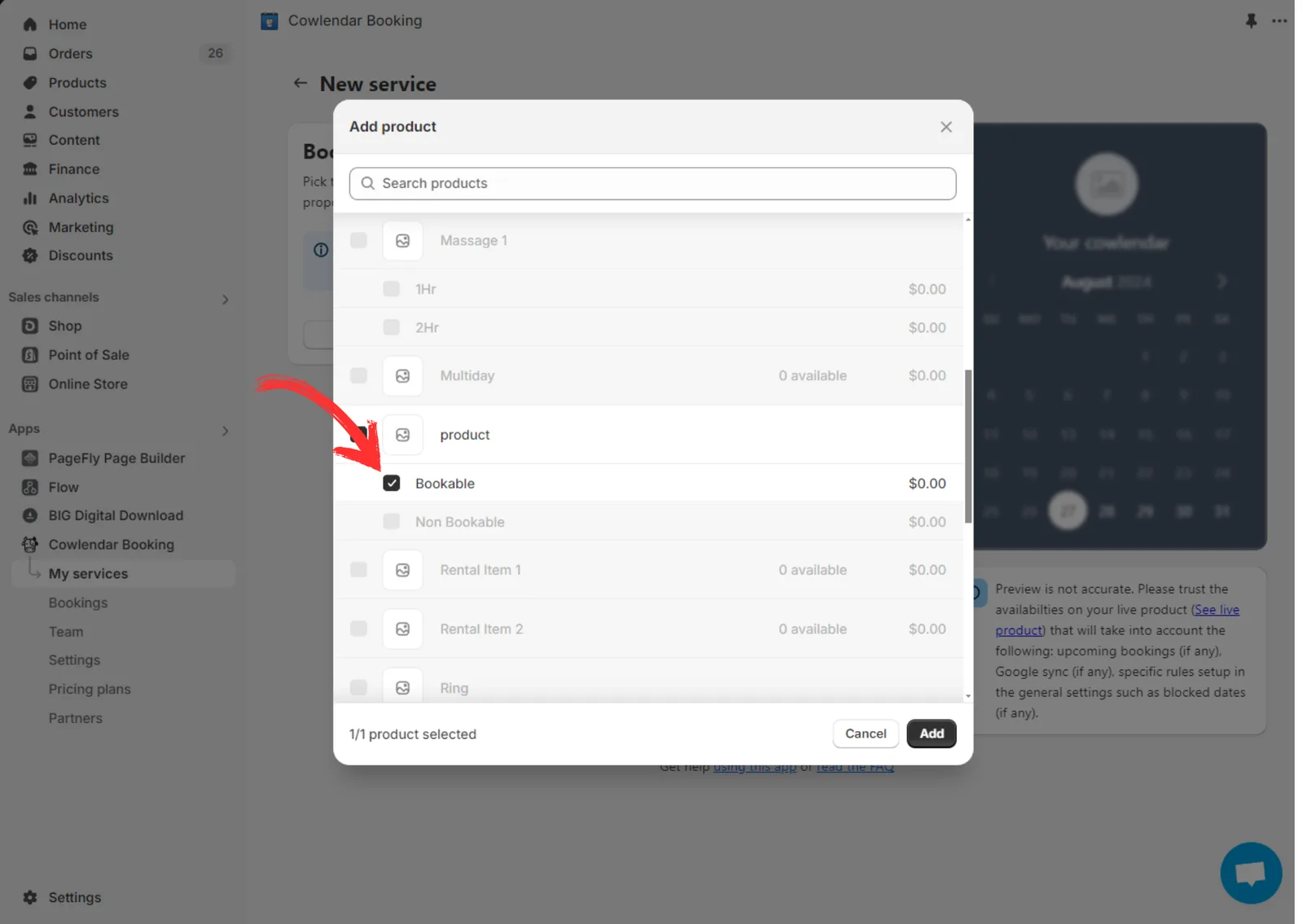
From here you will go and create your service in Apps > Cowlendar > My Services > New service
MAKE SURE to only select the "Bookable" variant when creating this service
This way the "Book Now" button will only show up when the "Bookable" variant is selected
Did this answer your question?