
How to Customize the Visual Style of Your Service Lists
Customize the visual appearance of your Cowlendar service lists to match your store branding.
Unlock Deeper Design Customization for Your Services
You can now visually personalize each service list like never before. This feature allows you to match your service lists to your brand’s style or the specific design of each page in your store, providing a more professional and cohesive booking experience for your customers

Steps to Customize the Design of Your Service List
In your Shopify admin dashboard click on the Apps tab; Click on Cowlendar Click on Settings Inside of Settings click on Services list page

Scroll down a little and look for the Design section
Each service list can now have its own unique design. Play with the new style options to better match the look and feel of your store
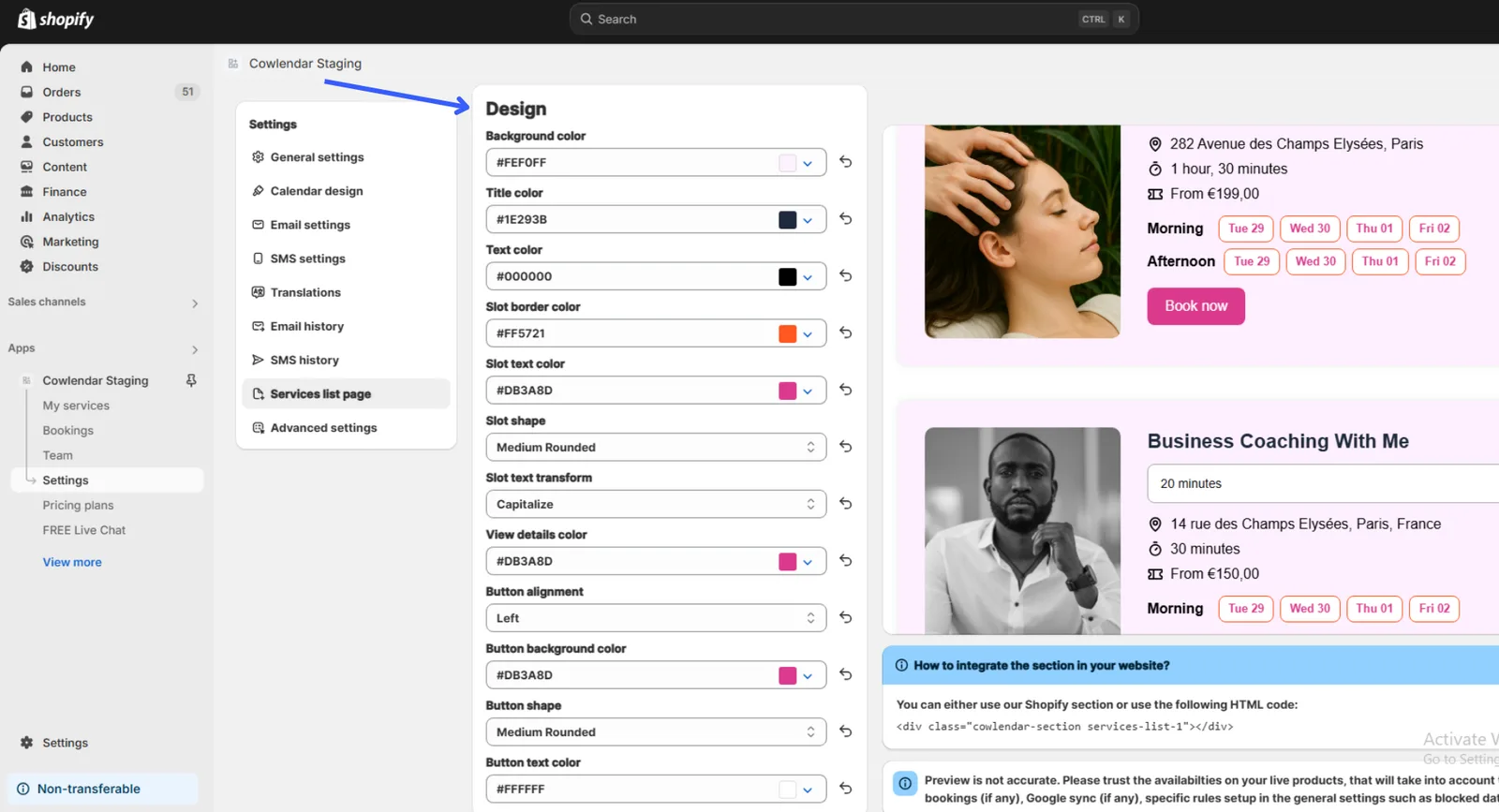
Customize it to your liking and click Save.
Did this answer your question?