
💎 How to Switching Between Services Inside the Calendar Widget
Allow customers to switch between multiple services within the same booking widget.
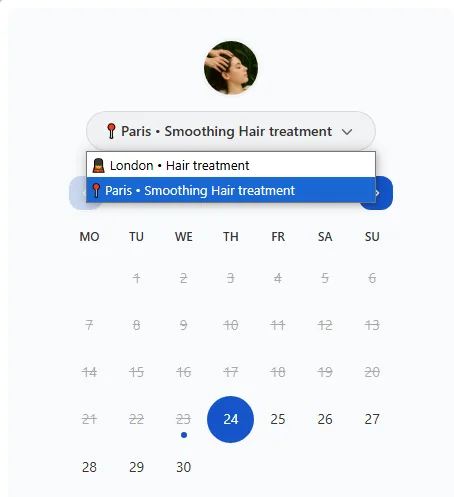
Cowlendar allows you to offer a smoother booking experience by enabling a feature that lets visitors switch between services directly within the same calendar widget. This is especially useful if you provide several services and want to give users a way to explore all of them without having to go back to the main service list.
With this setting enabled, your customers will see a dropdown menu, allowing them to easily move between services.
Why This Feature Matters
Allowing service switching improves the overall flow of your booking process. It helps reduce friction for customers who may want to compare options before booking. Each service can have its own settings, so you’re always in control of what’s shown and how it functions.
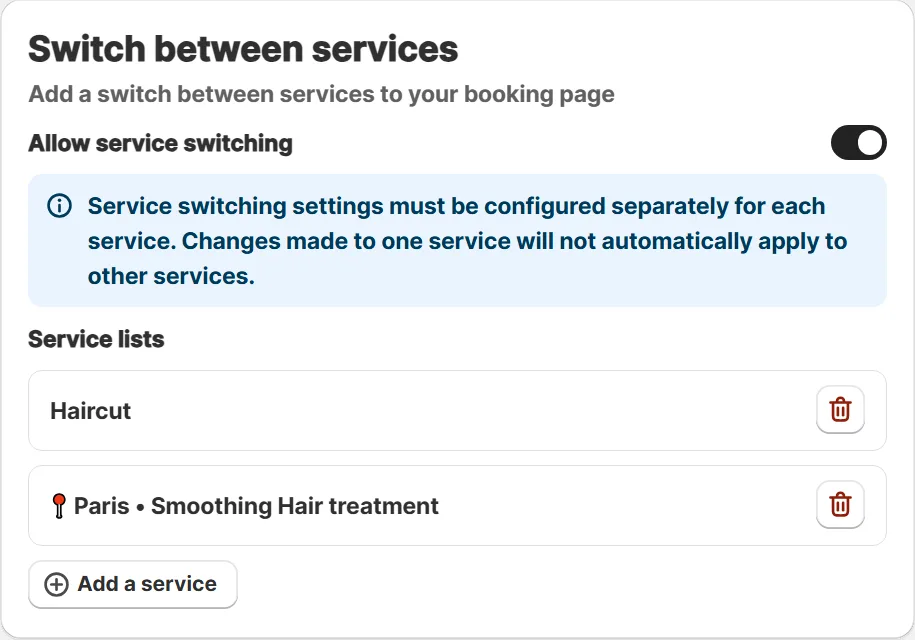
Service switching settings must be configured separately for each service. Changes made to one service will not automatically apply to other services.
How to Turn On the Service Switcher
Go to Apps and open Cowlendar In the Cowlendar menu, click on My Services Find the service you want to update and click Edit
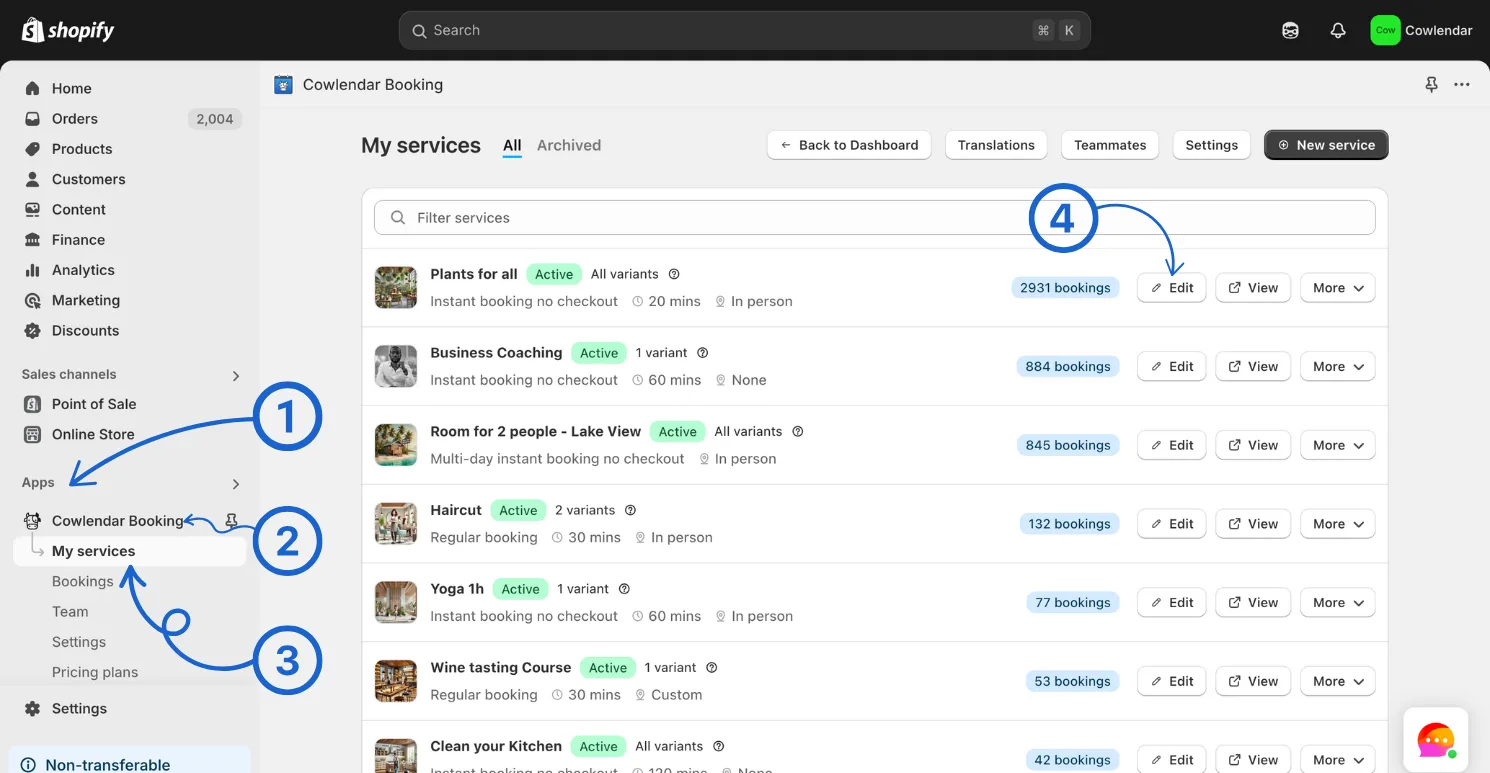
In the General Settings tab, scroll down to the bottom Activate and configure the Switch between services option Save your changes
Did this answer your question?