
How to Remove the Service Image from the Calendar Widget
Remove the product image from the top of the Cowlendar booking popup widget.
If you'd like a cleaner and more minimal booking experience, you can now remove the service image from the Cowlendar calendar widget. This option is available for every service individually, allowing you to control the look of each booking page.
How to Hide the Service Image
To remove the image from the widget for a specific service:
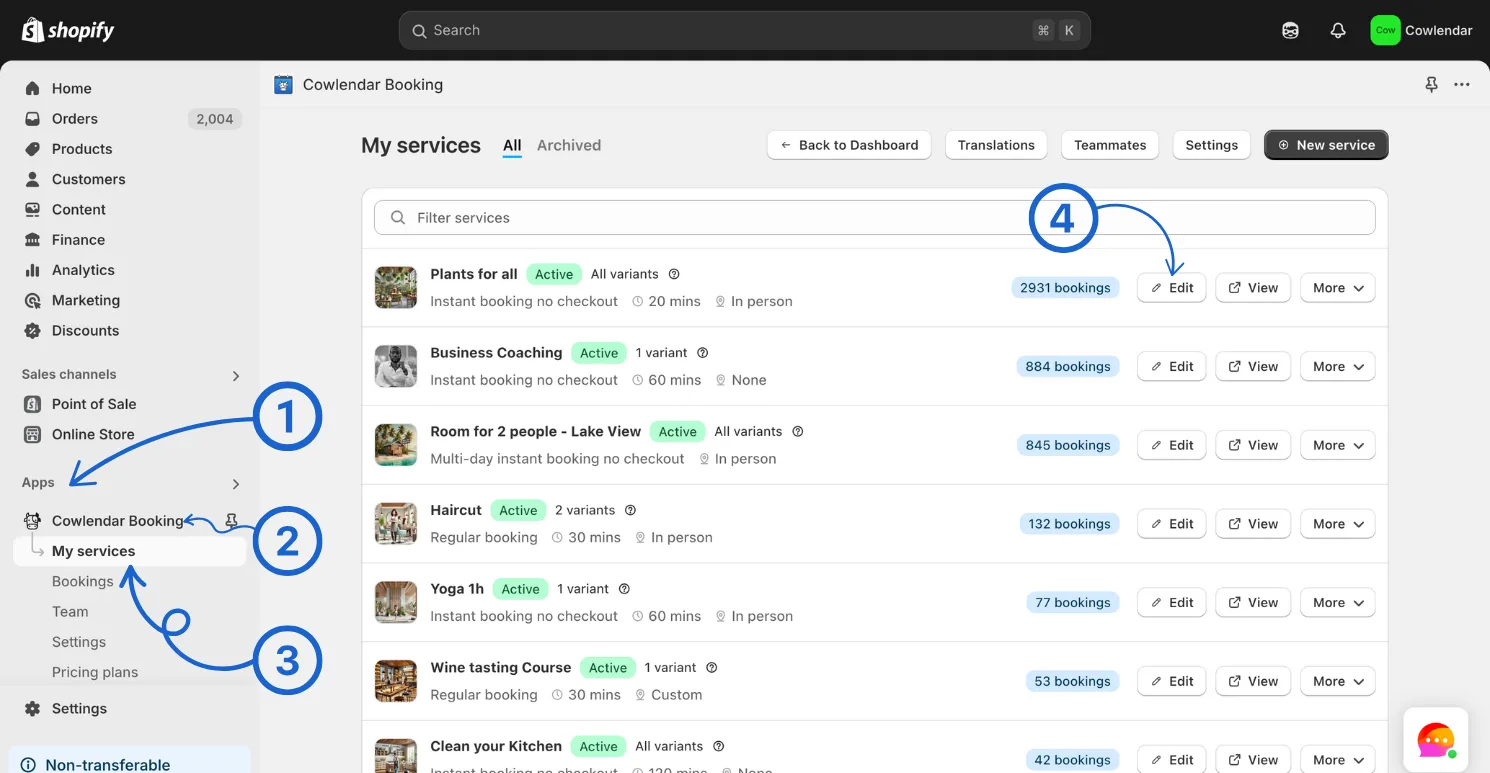
Go to Apps Open your Cowlendar dashboard Go to the My Services section Find the service you'd like to update and click Edit
In the General Settings tab, scroll down to the Booking Page Design section Toggle Show service image to off Save your changes

This setting will apply only to the selected service and can be adjusted any time.
Did this answer your question?