
👬 How to add services faster by duplicating services?
Duplicate existing services as templates to speed up creation of similar services.
There is no bulk creation of services, but you can edit many services at once with More > Bulk edit in My services.
But you can quickly duplicate one of your service so the process of creating a lot of services could be made faster by using this
Steps to duplicate an already created service
- In your Shopify admin dashboard look at the left panel and click on the Apps
- Click on Cowlendar
- Click on My Service
- Click More on the service you want to duplicate and then select Duplicate
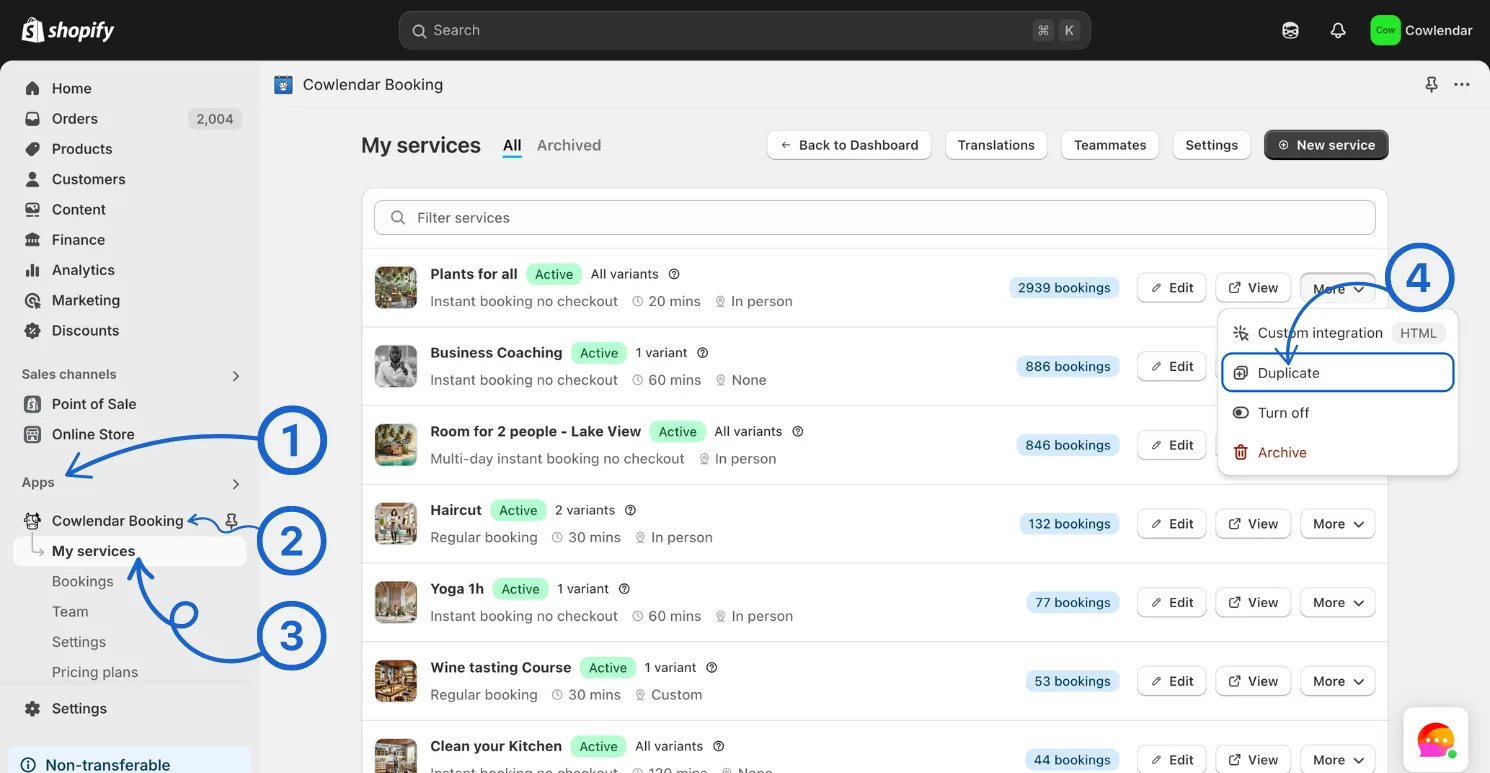
Don't forget to edit the newly created service and change the product it is linked with. Otherwise, you could experience some bugs
Did this answer your question?