
🧙 How to Add a Cowlendar Booking Link to Any Button on Your Shopify Store
Add Cowlendar booking popup triggers to any button or link on your Shopify store.
It only works for 1 variant; It will not work if your product has several variants which are all bookable. You have to pick a variant at somepoint which will show in your direct link
Steps for using the direct link feature
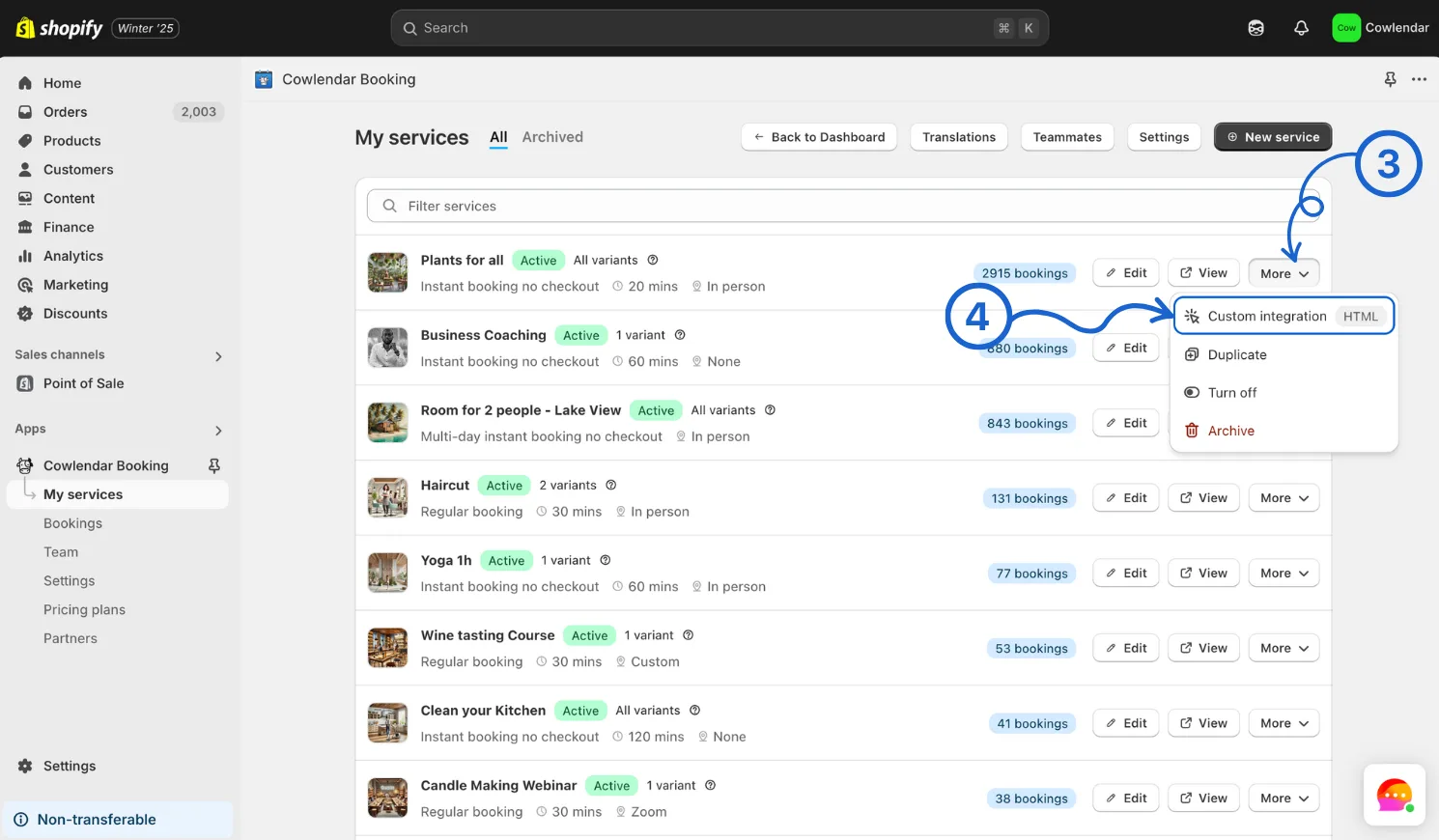
Click on Cowlendar Click on My Services On the specific service you want to display click on More Click on Custom integration
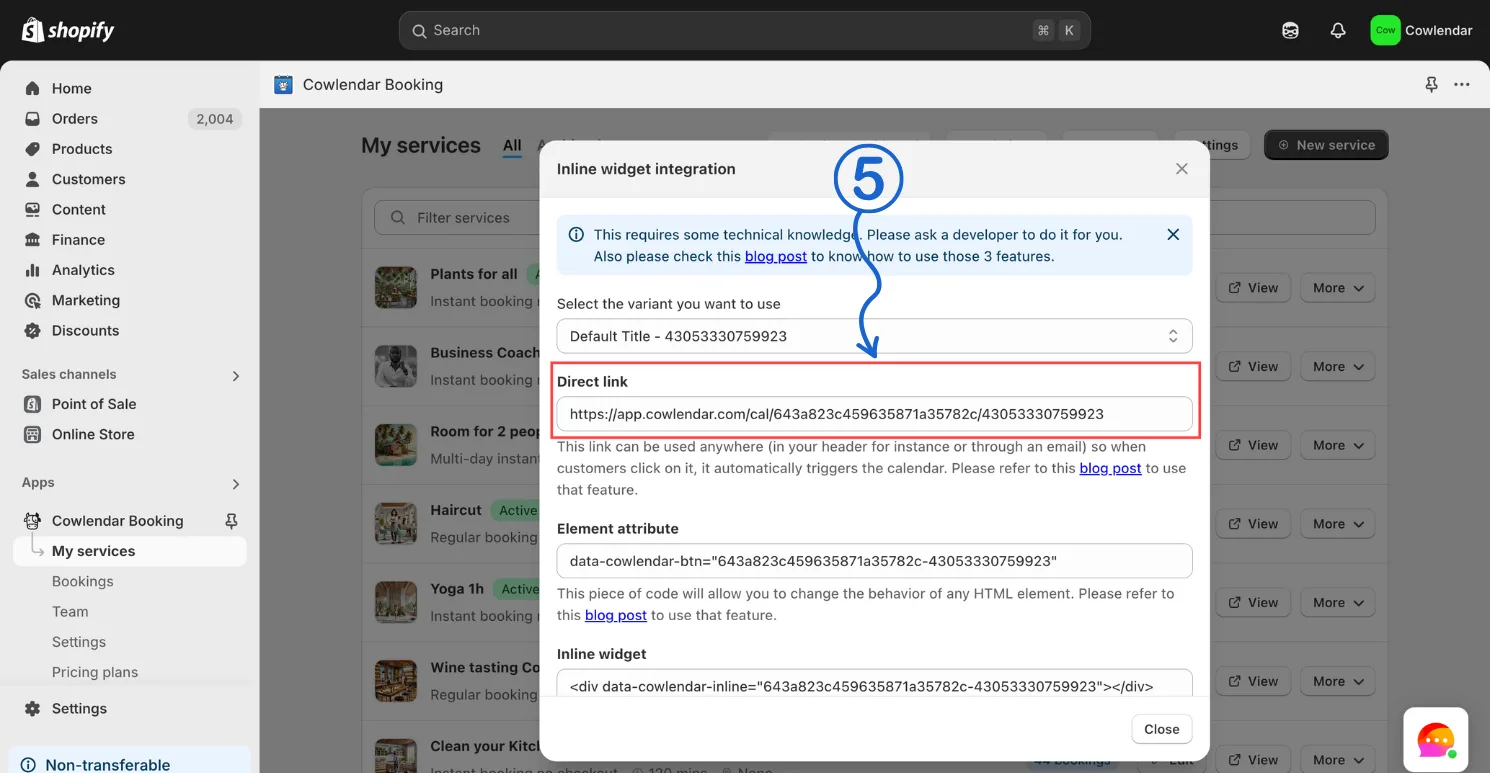
Copy the direct link
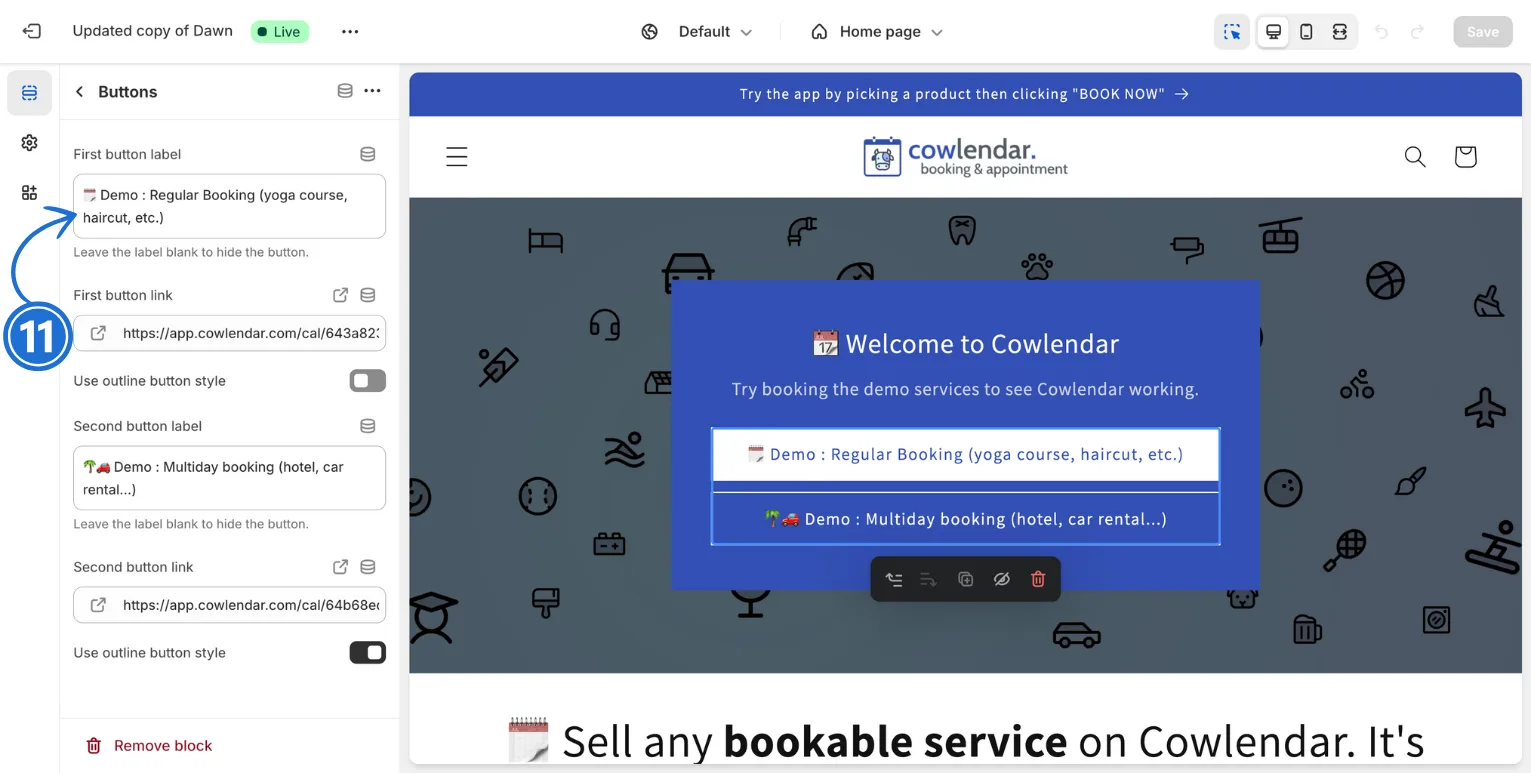
Look to the left and in your Shopify admin dashboard click on Online store Click on Theme Click on Customize In the theme editor find the button you want to turn into a bookable button Click on that button Paste Direct link into that buttons link section
Did this answer your question?