
🗓️ How to block dates for one service?
Block specific dates for a single service to prevent bookings.
This is perfect for when you have to close out a service because maybe you ran out of the matierlas needed to run that service.
Steps for blocking a date on a specific service
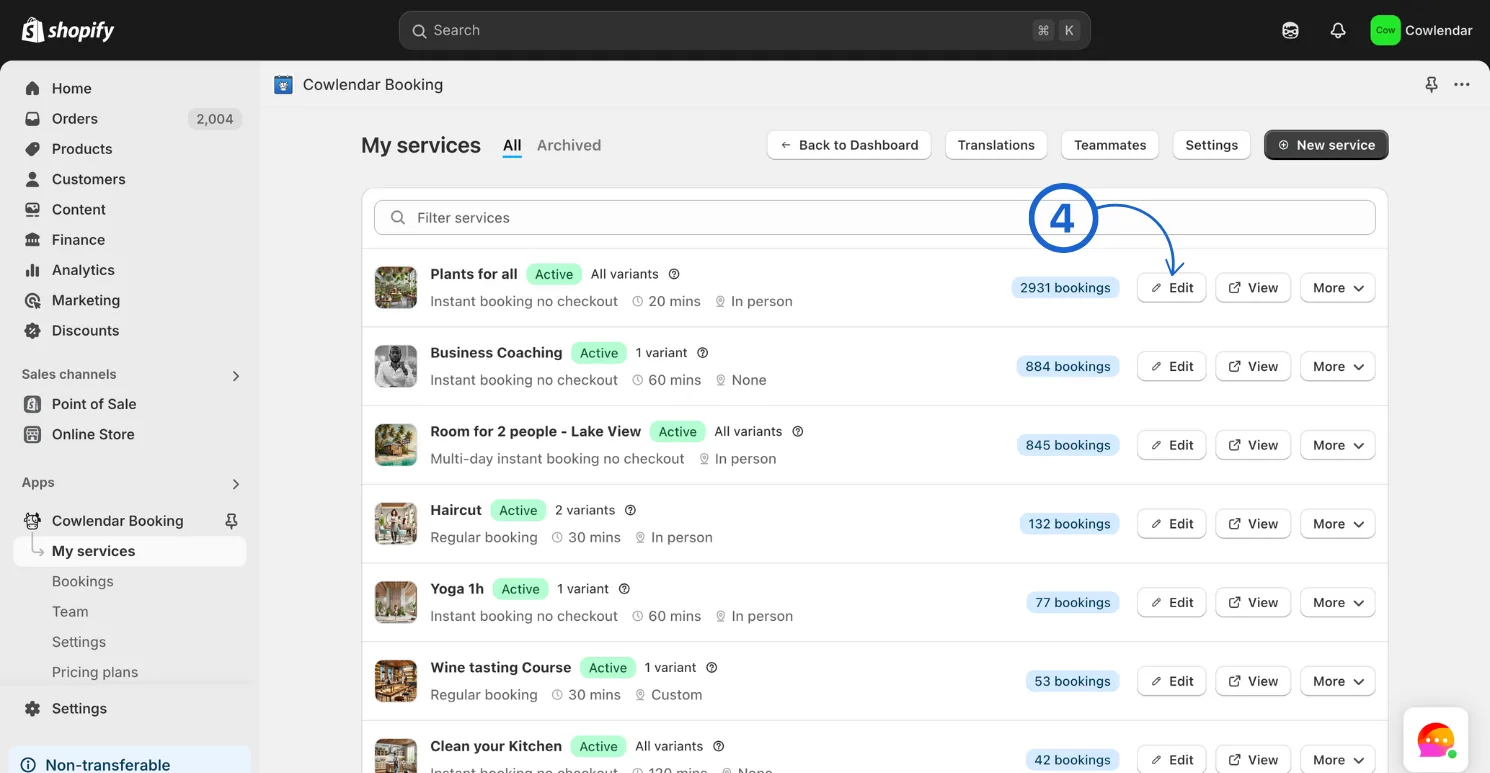
In your Shopify admin dashboard look at the left panel and click on Apps. Click on Cowlendar. Click on My Services. Click Edit on the specific service you want to block dates for.
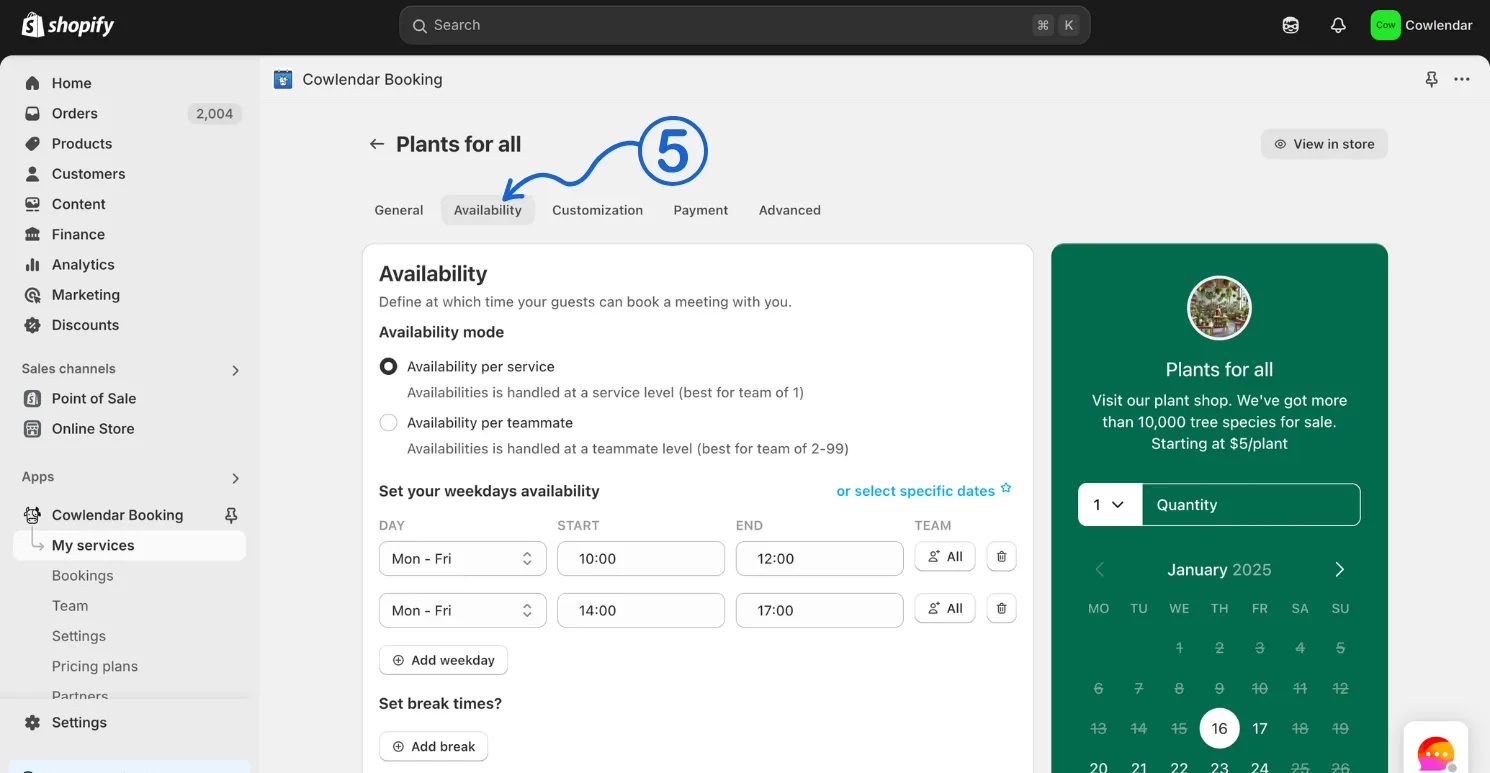
Inside of the Services settings click on the Availability tab.
Scroll down to blocked dates and click Add blocked dates.
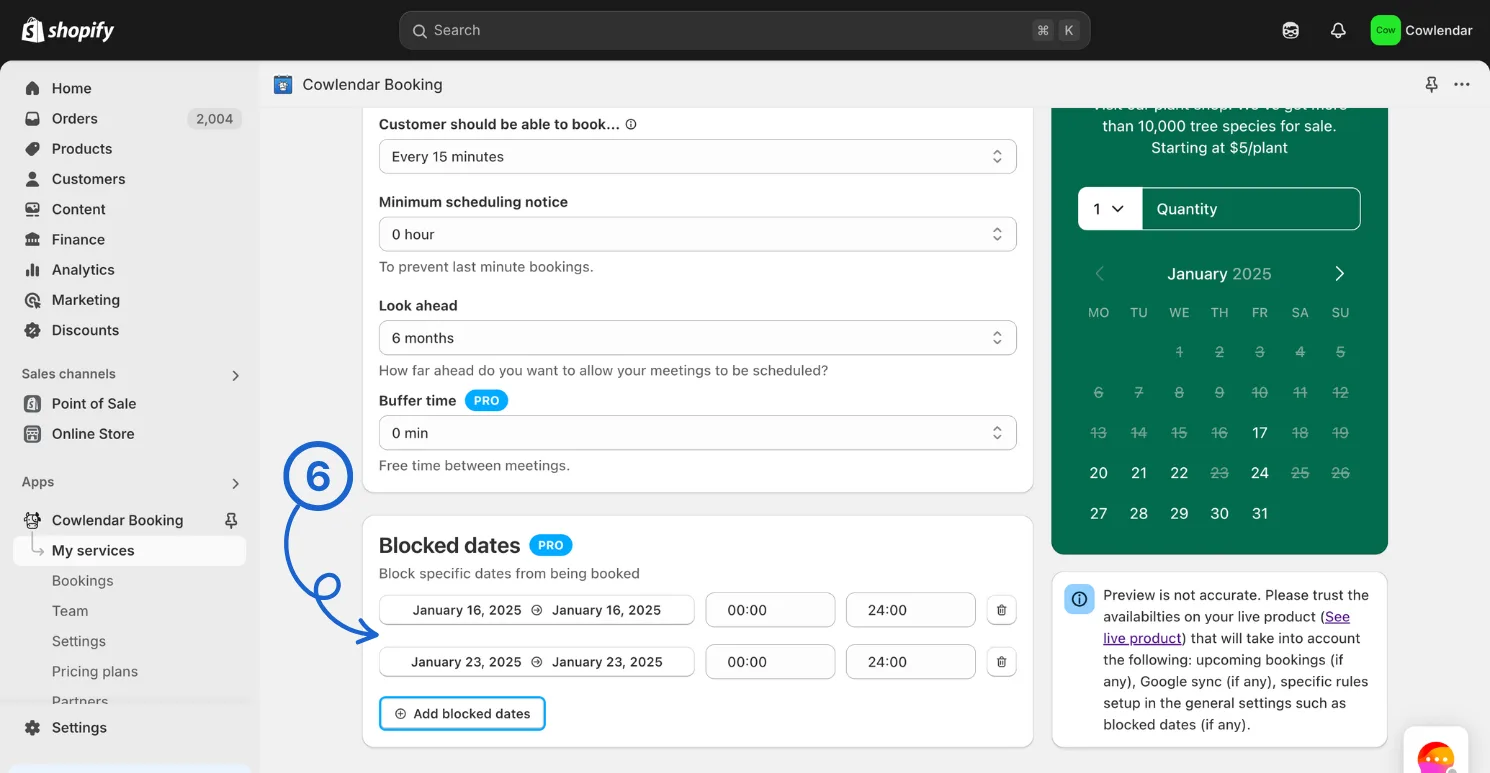
If there is a greyed out date this means it has already passed and cannot be edited (but can be deleted)
Did this answer your question?