
🍟 How to add upsells to the booking form?
Add optional upsell products and add-ons to the Cowlendar booking form.
With upsell you can add any number of services or products as upsell
Just make sure you've pervasively created the product/service that will be used as add-on then
Steps to add Upsell to a Cowlendar service
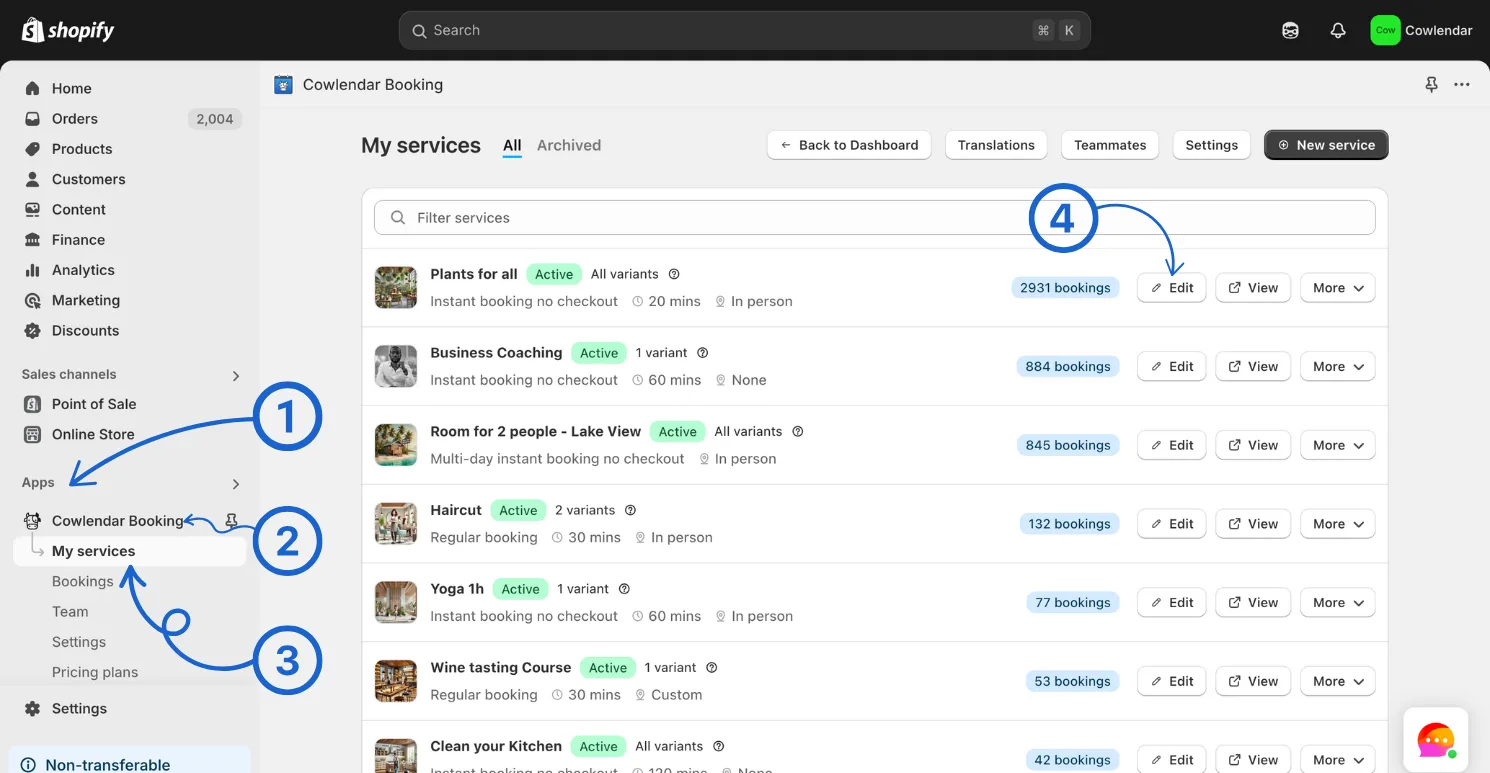
In your Shopify admin dashboard look at the left panel and click on the Apps Click on Cowlendar Click on My Service Click Edit on the service you want to add upsell to
Click on Payments tab Scroll down until you find the Upsell Section
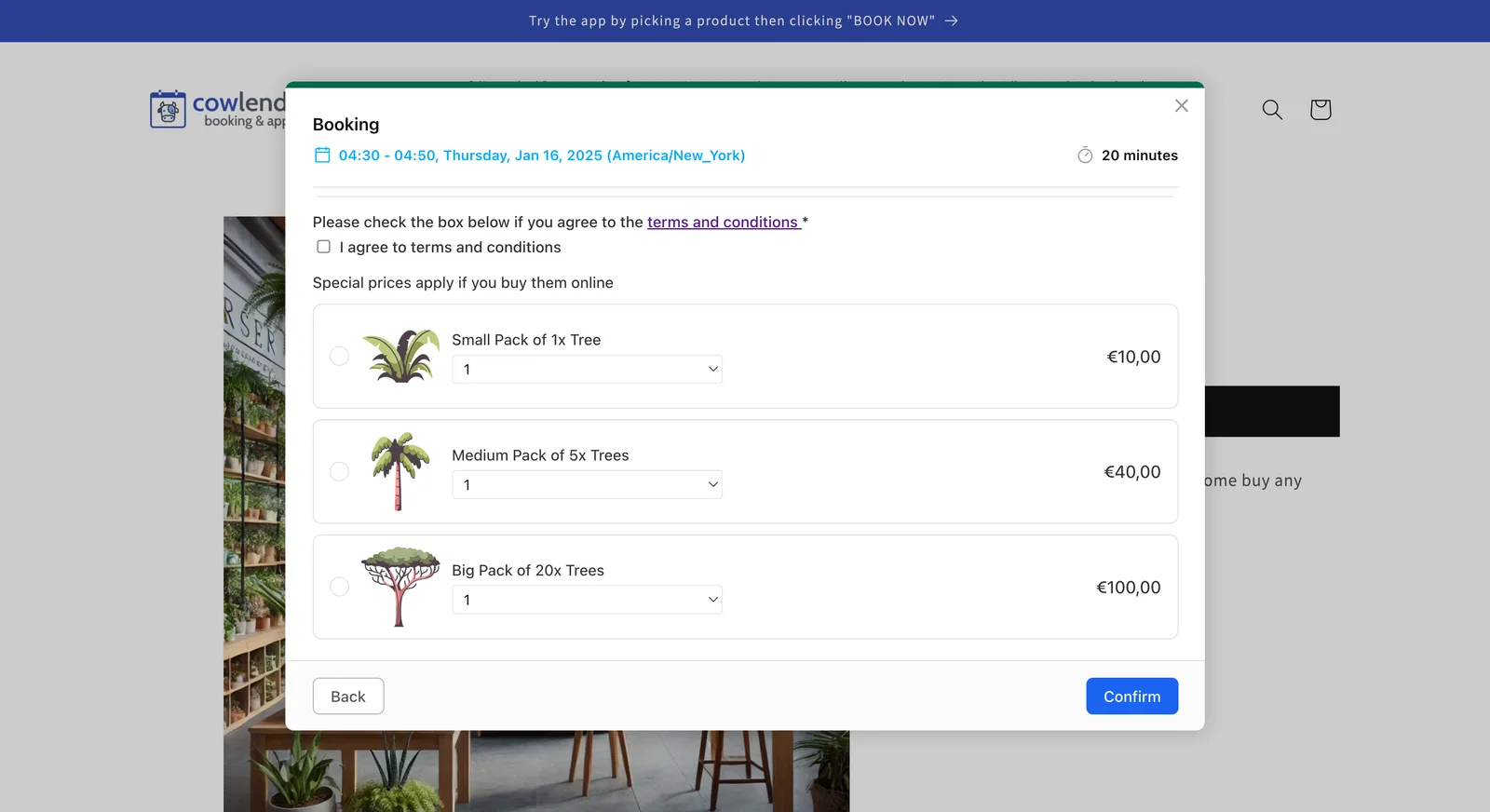
Products can only be upsold AT the confirmation page
Services can only be upsold AFTER the confirmation page
Add each to its respective category or it will not work properly!
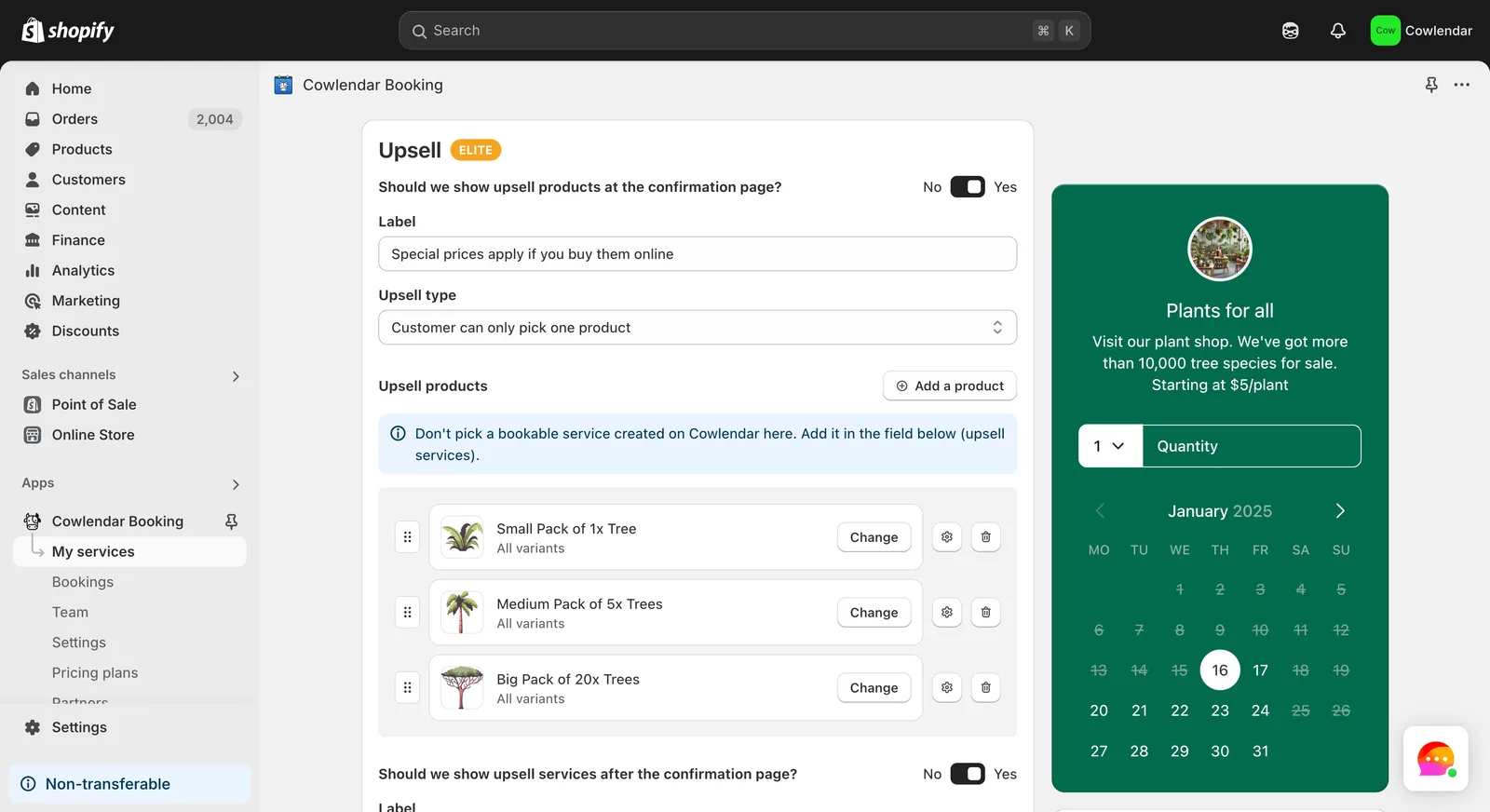
Customize the label, type and more to fit your needs Click update before leaving :innocent:
Did this answer your question?