
✏️ How to change the duration of a booking for a custom one? (i.e 15min)
Set a custom slot duration for your Cowlendar service bookings.
Steps to change the duration of a booking to a custom one
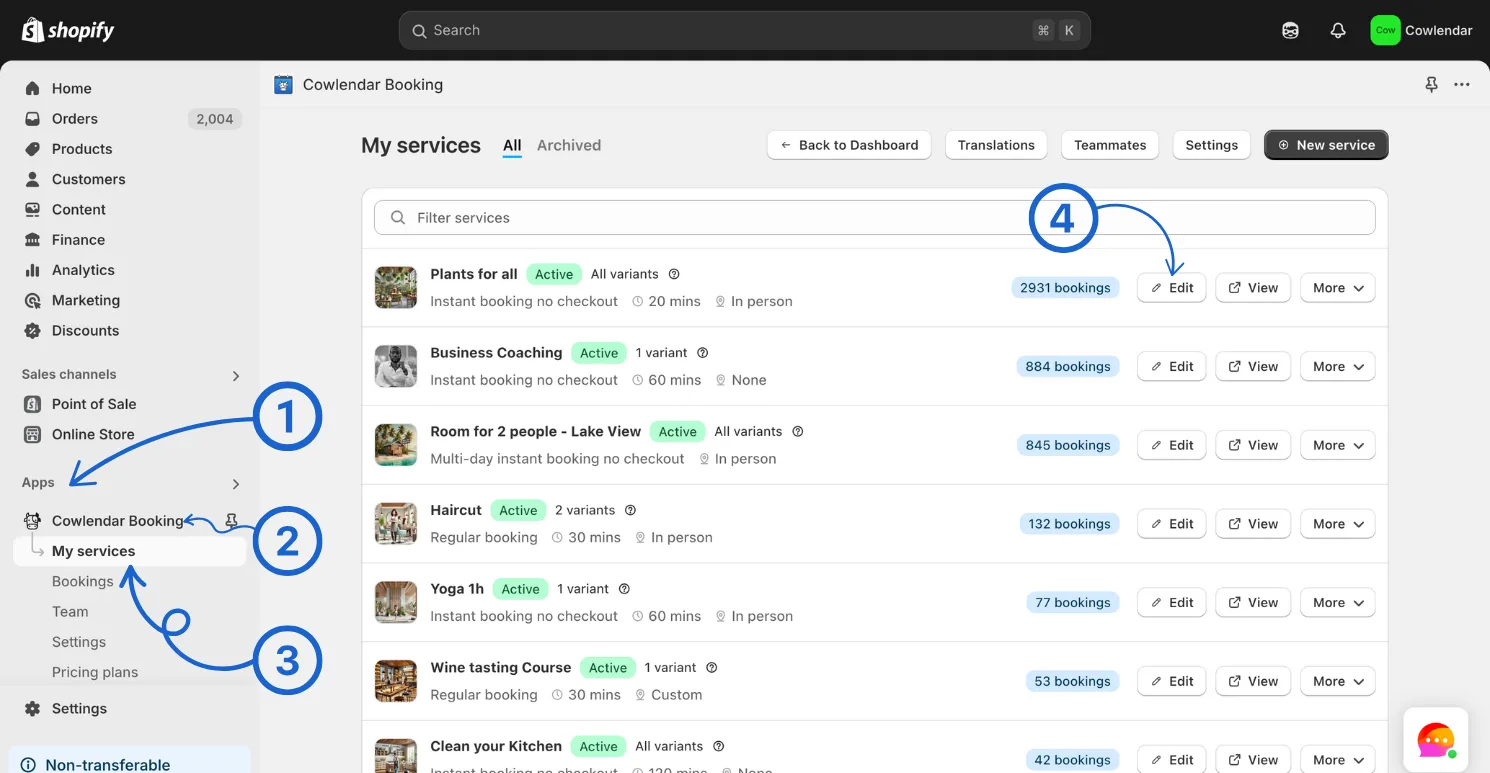
In your Shopify admin dashboard look at the left panel and click on the Apps Click on Cowlendar Click on My Service Click Edit on the service you want to add a custom meeting duration
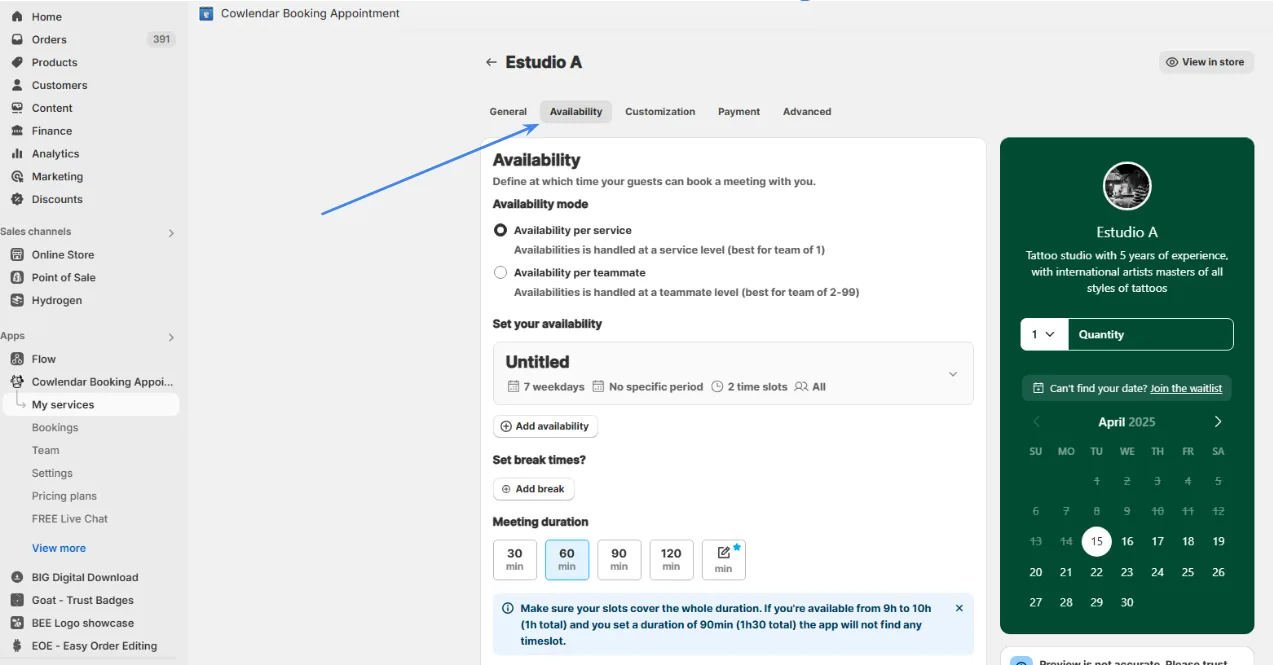
Click on the Availability tab
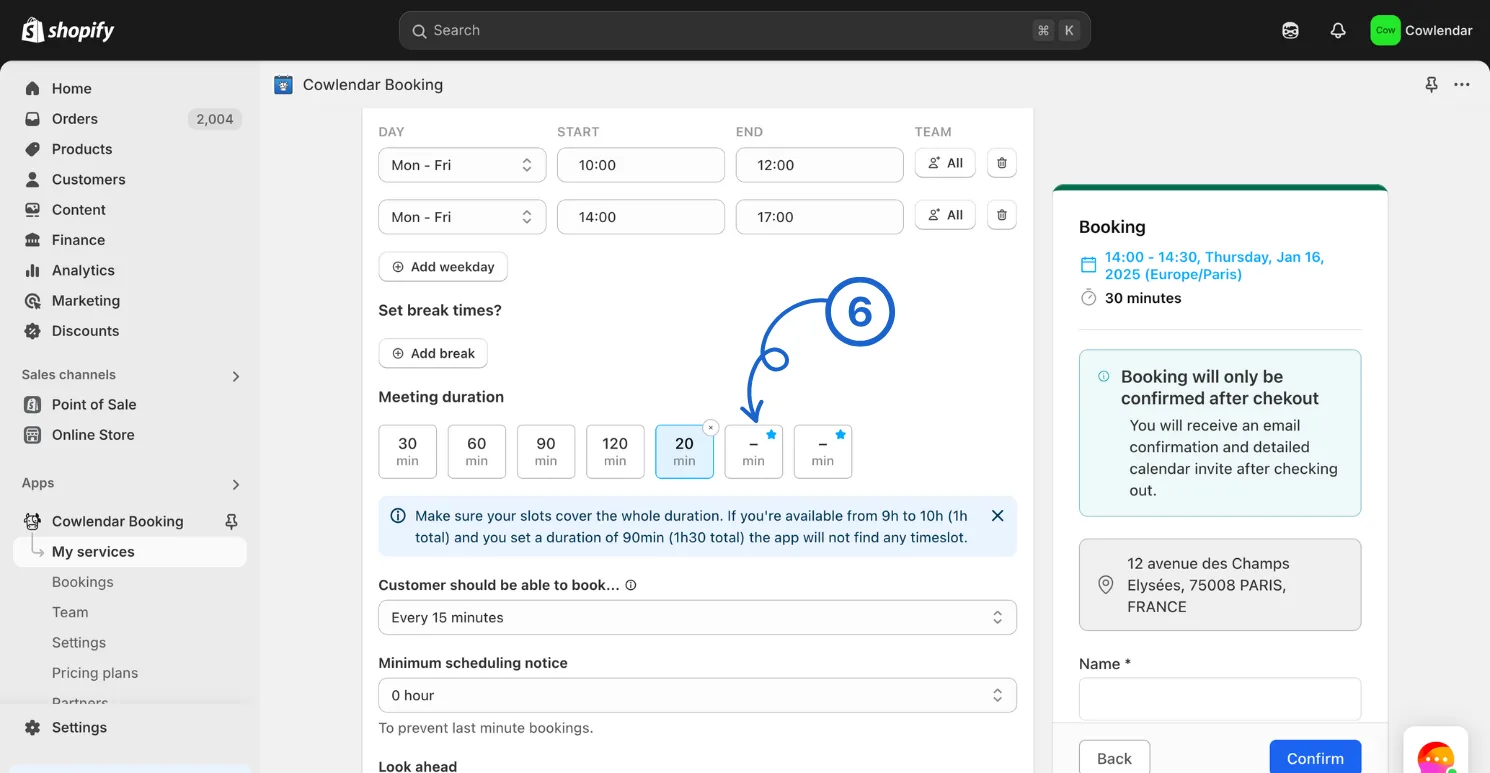
Scroll down to where it says Meeting duration Click on an empty box
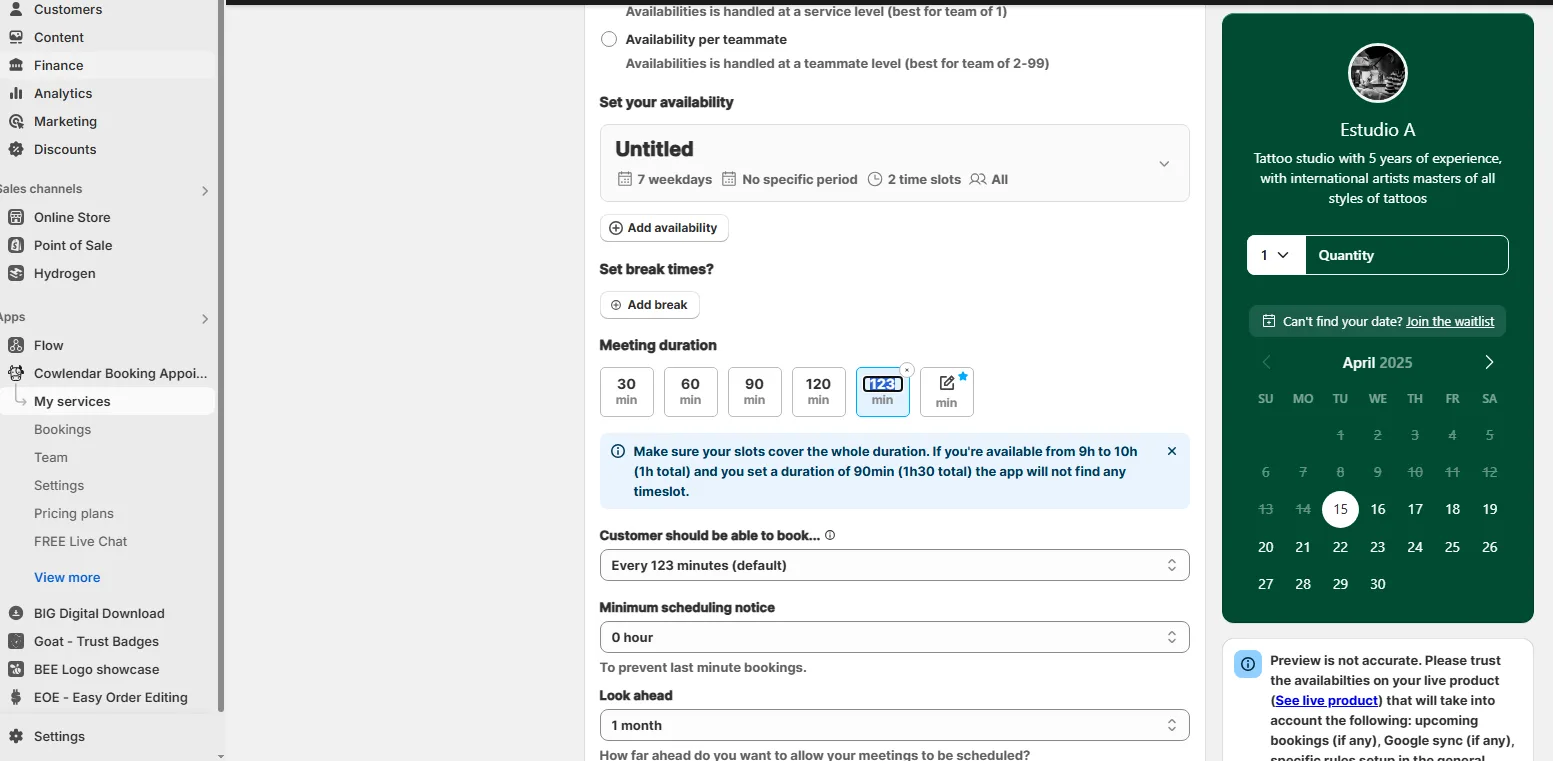
Click directly on the number to change it
Click update before leaving :innocent:
Did this answer your question?