
😵 I changed the theme, i used to have "book now" buttons, now I see "add to cart"
Re-enable Cowlendar after switching Shopify themes to restore the Book Now button.
Why does changing my theme break the cowlendar application?
The way that Shopify works is that whenever you change the theme, all apps will be disabled.
You will need to go into your theme editor and reenable Cowlendar to get things going again. 😉
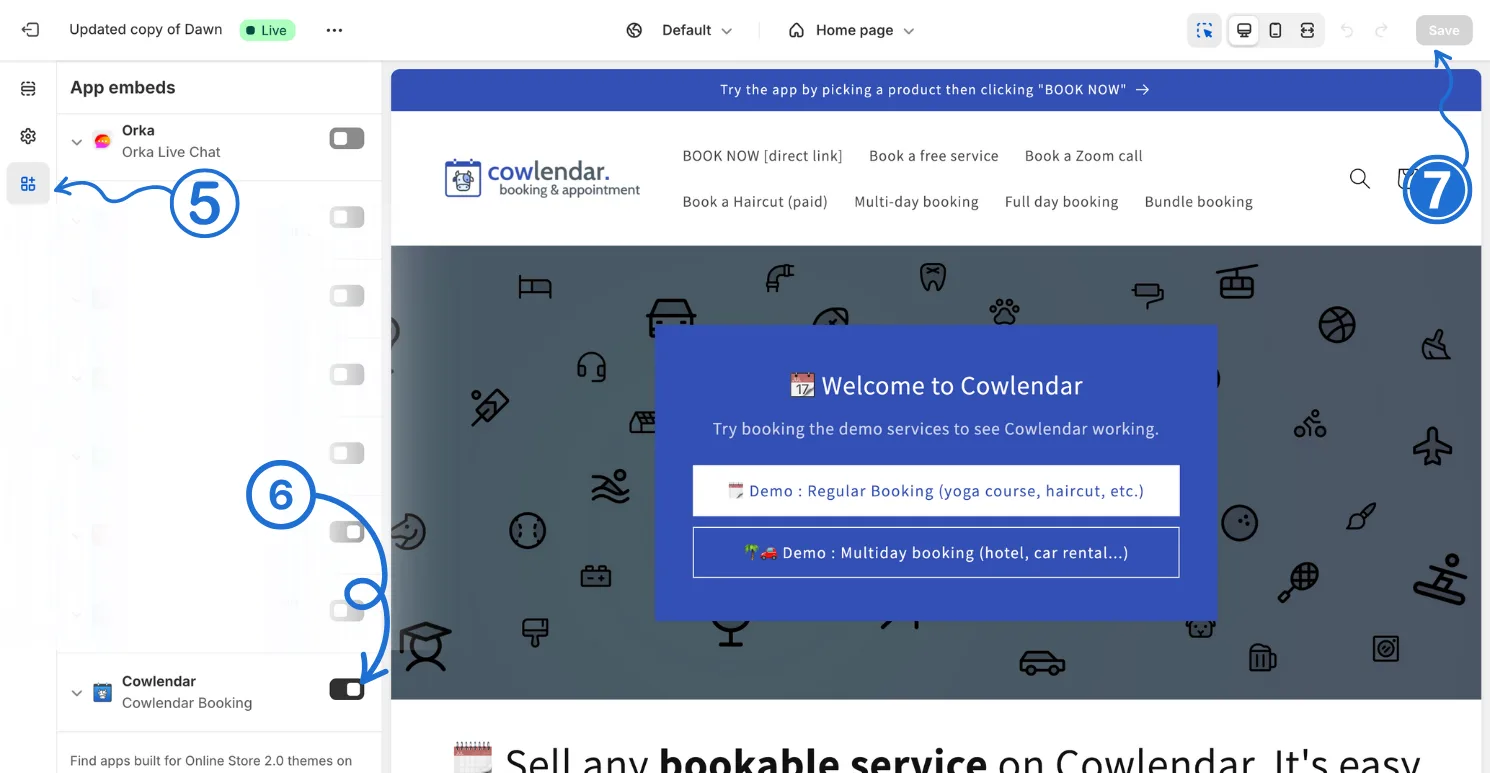
Go into your Shopify admin panel Online Store > Themes > Customize and on the left side click on the App Embed section (5), then enabled Cowlendar (6) and lastly click Save (7)
2️⃣ Enable Cowlendar on your theme MANDATORY›For a more detailed explanation visit the guide below
Did this answer your question?