
How to Automatically Refund Canceled Bookings
Configure automatic refunds when bookings are cancelled in Cowlendar.
💲 How to automatically refund canceled bookings
To automatically refund canceled bookings you will go to Apps > Cowlendar > Settings > General settings > Refund and cancellation settings and enable the options which fit your needs
You can control which type of canceled bookings get automatically refunded (admin, customer or both)
Steps to automatically refund canceled bookings
- In your Shopify admin dashboard look at the left panel and click on Apps.
- Click on Cowlendar.
- Click on Settings, then General settings.
- Find the Refund and cancellation settings card.
- Select the options that correspond to what you need .
As you may notice there are multiple options when it comes to determining what triggers a refund. Do you want it refunded only when an admin cancels, customer cancels or either or? Up to you
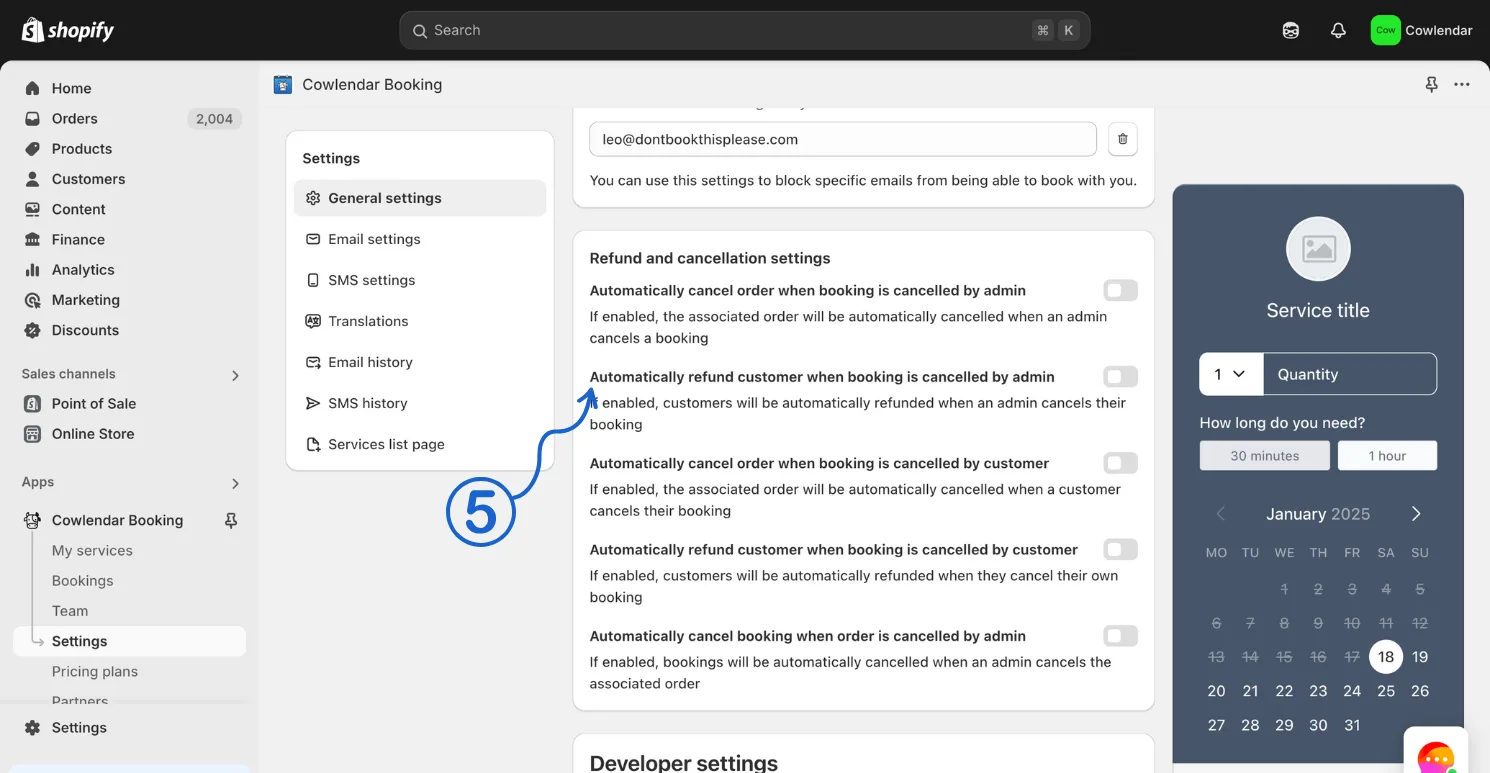
Enable both "Automatically cancel..." and "Automatically refund..." if you want the Shopify order to be both canceled and refunded.
Did this answer your question?