
How to Add Admin Email to CC or BCC
Add your team email addresses to receive copies of all booking confirmation emails.
CC stands for "carbon copy" and means that a copy of the email will be sent to the listed addresses, with all recipients able to see each other's email addresses, while BCC stands for "blind carbon copy" which sends copies to listed addresses but hides their email addresses from everyone else in the email, ensuring privacy among recipients.
Steps to add admin email to CC or BCC
- In your Shopify admin dashboard look at the left panel and click on Apps.
- Click on Cowlendar.
- Click on Settings.
- Click on Email Settings.
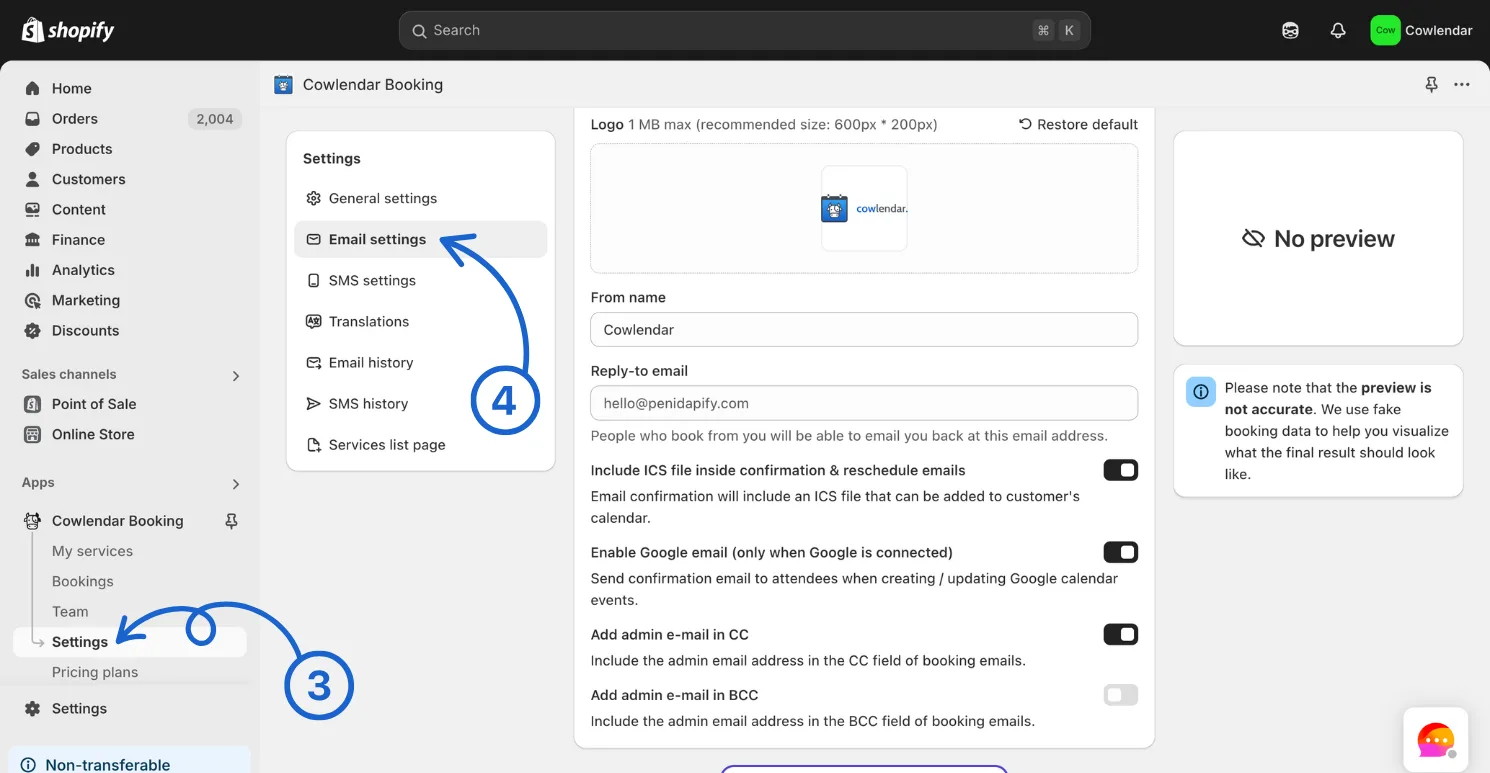
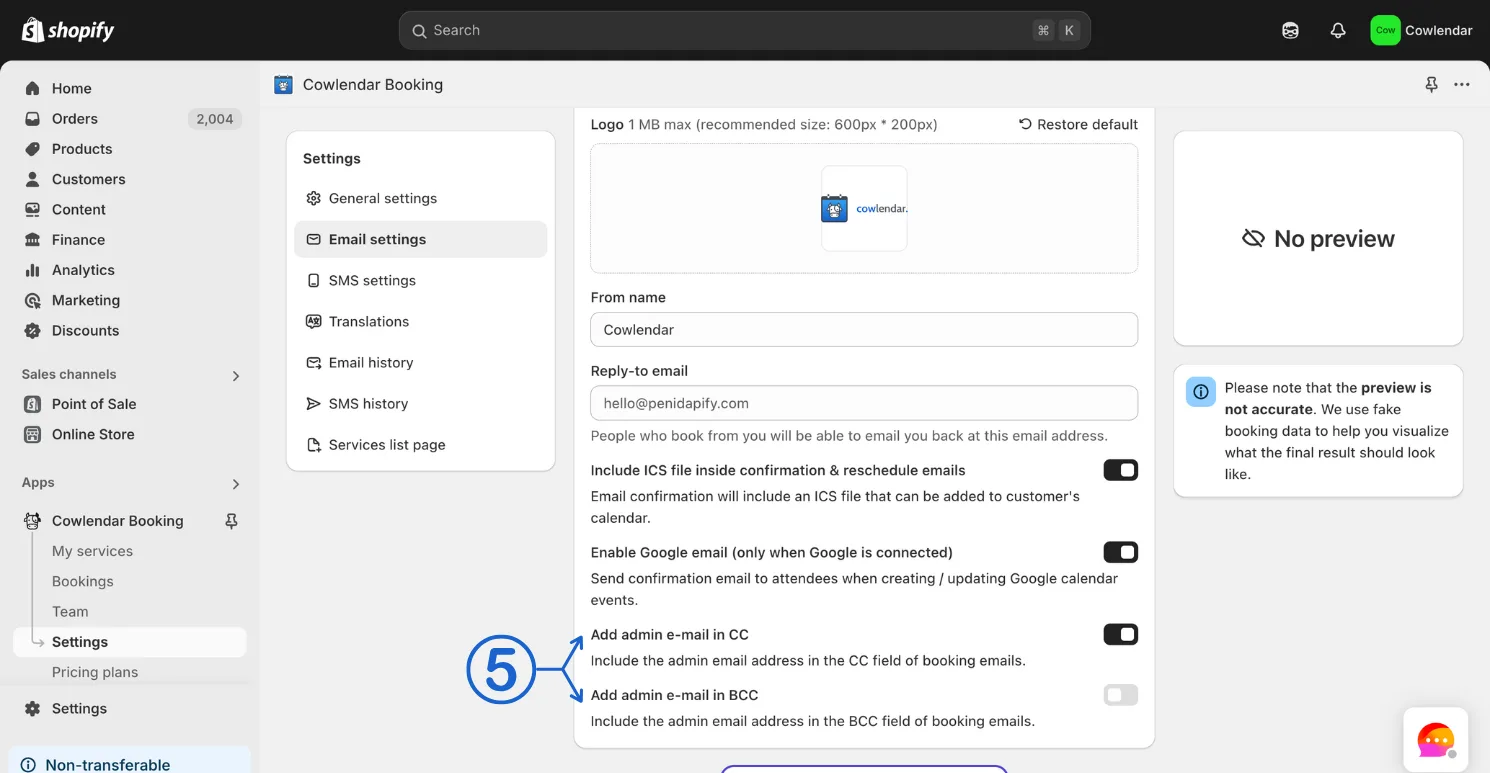
- Toggle on Add admin e-mail in CC and/or Add admin e-mail in BCC. Turn on the CC or BCC switch and type the address in the Send the copy to field.
- Click save
Did this answer your question?