
✖️ How to hide "999 slots left"
Hide or fix the "999 slots left" display in the Cowlendar booking widget.
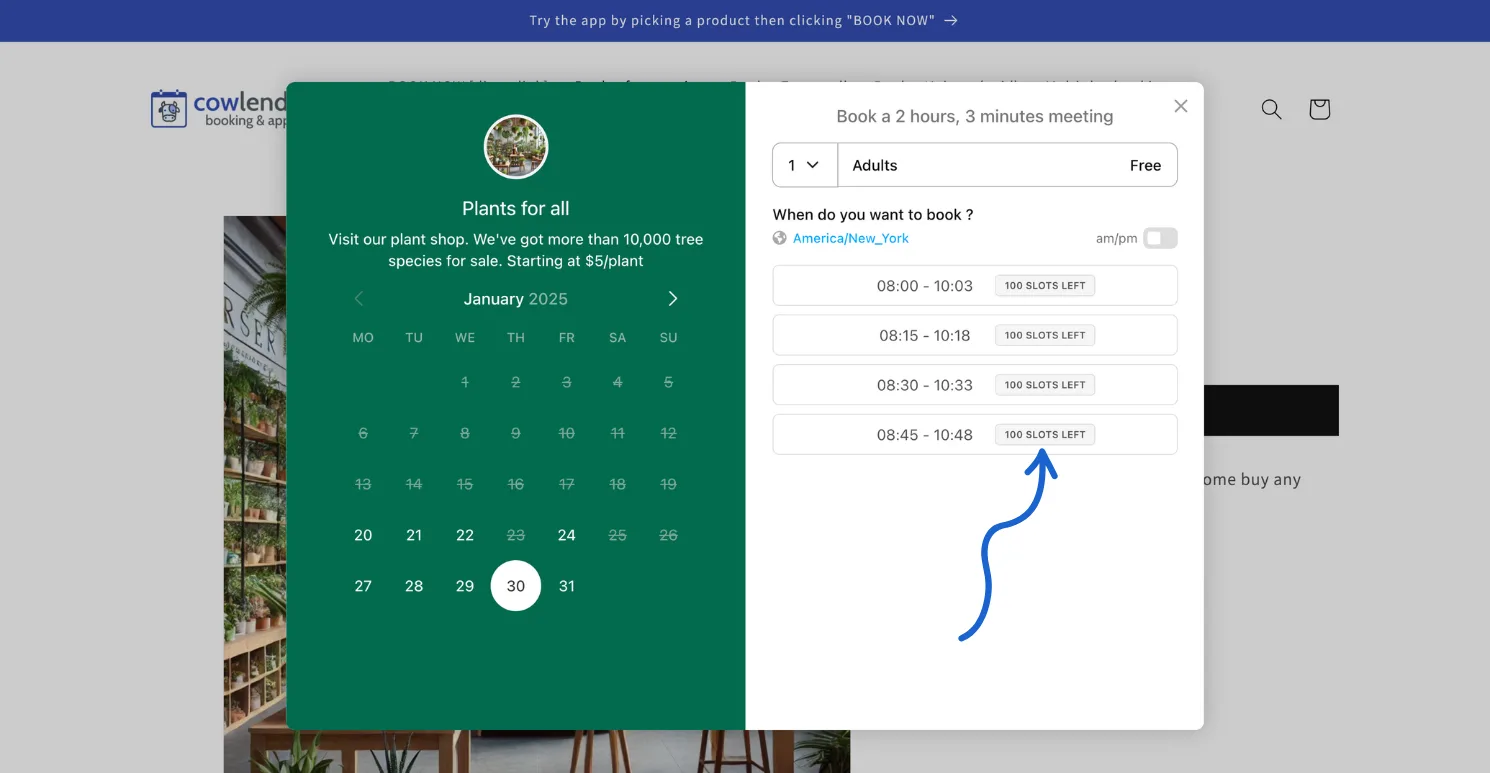
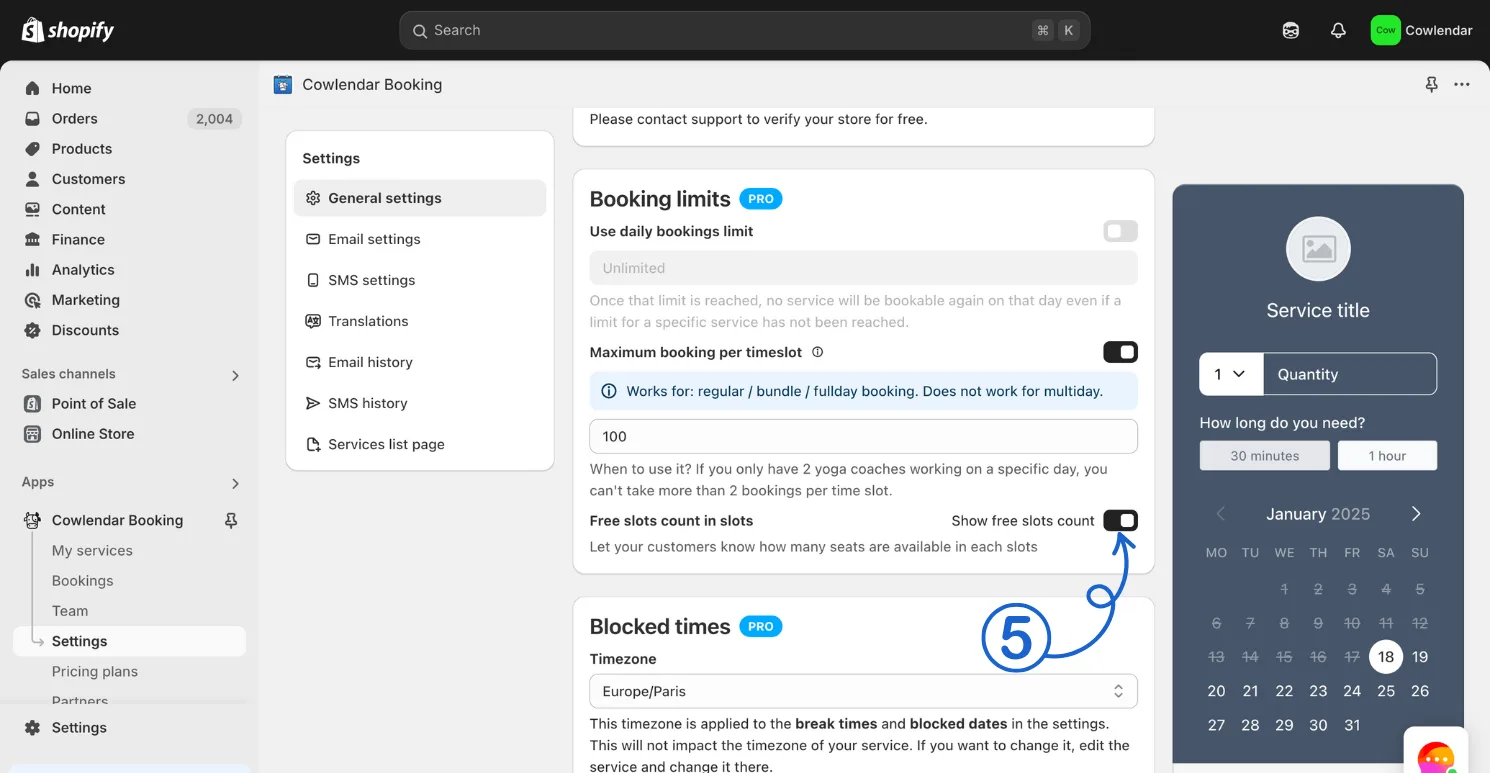
You can hide "free slots count" by going to Apps > Cowlendar > Settings > General Settings > Untoggle "Show free slots count in slots"
Steps to hide "free slots" in the calendar
- In your Shopify admin dashboard look at the left panel and click on Apps.
- Click on Cowlendar.
- Click on Settings and into General settings.
- Scroll down a bit and find Show free slots count in slots.
- Unselect this option.
Did this answer your question?