
🛍️ Make sure to have some inventory
Configure Shopify product inventory correctly so Cowlendar can display its booking button.
For Cowlendar Booking App to work on your product, you need to have some quantity or even better, you can uncheck the "track quantity" field.
Here are some steps you can take:
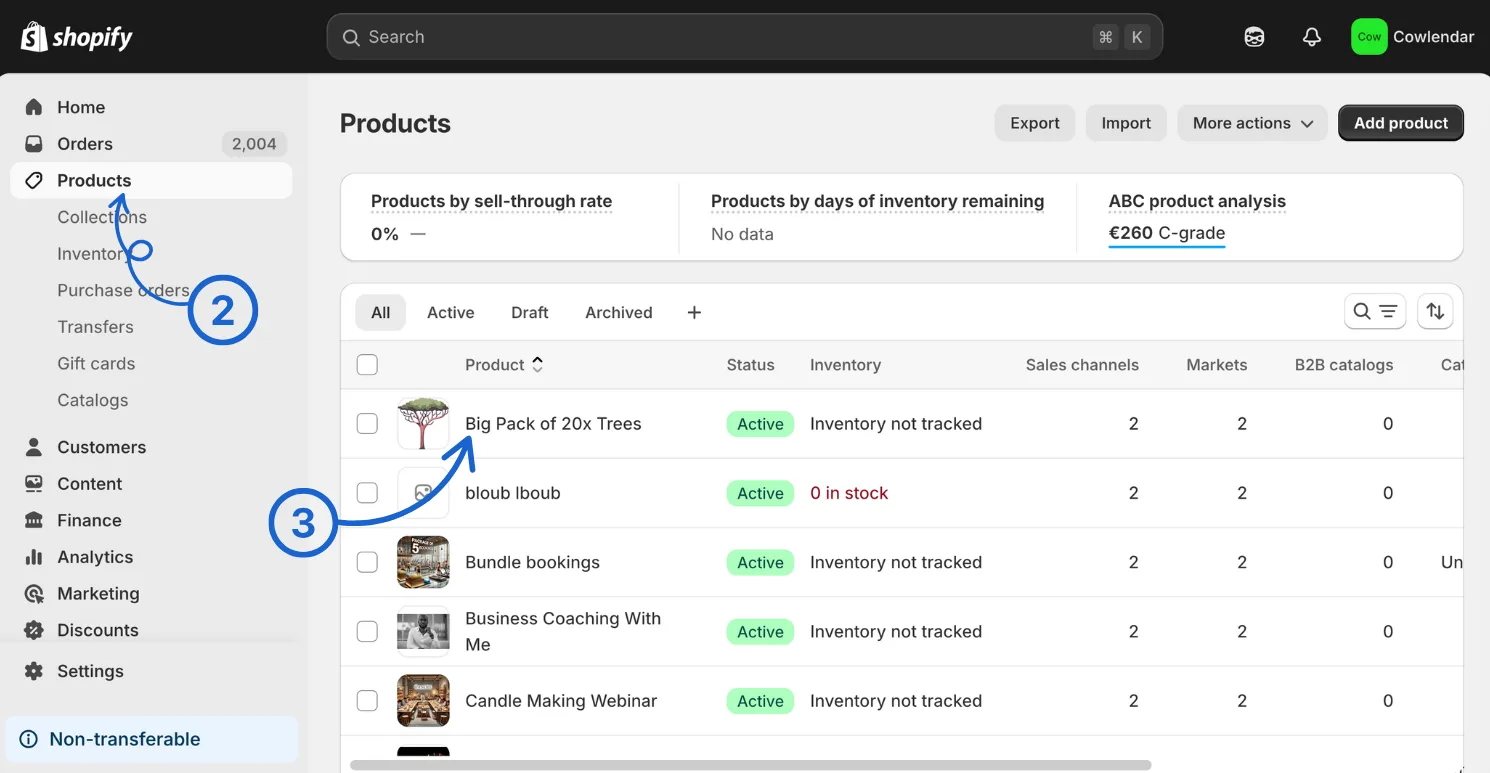
In your Shopify admin dashboard Look at the left hand side. Click on products. Select the product you wish to modify.
Scroll down and untoggle track quantity
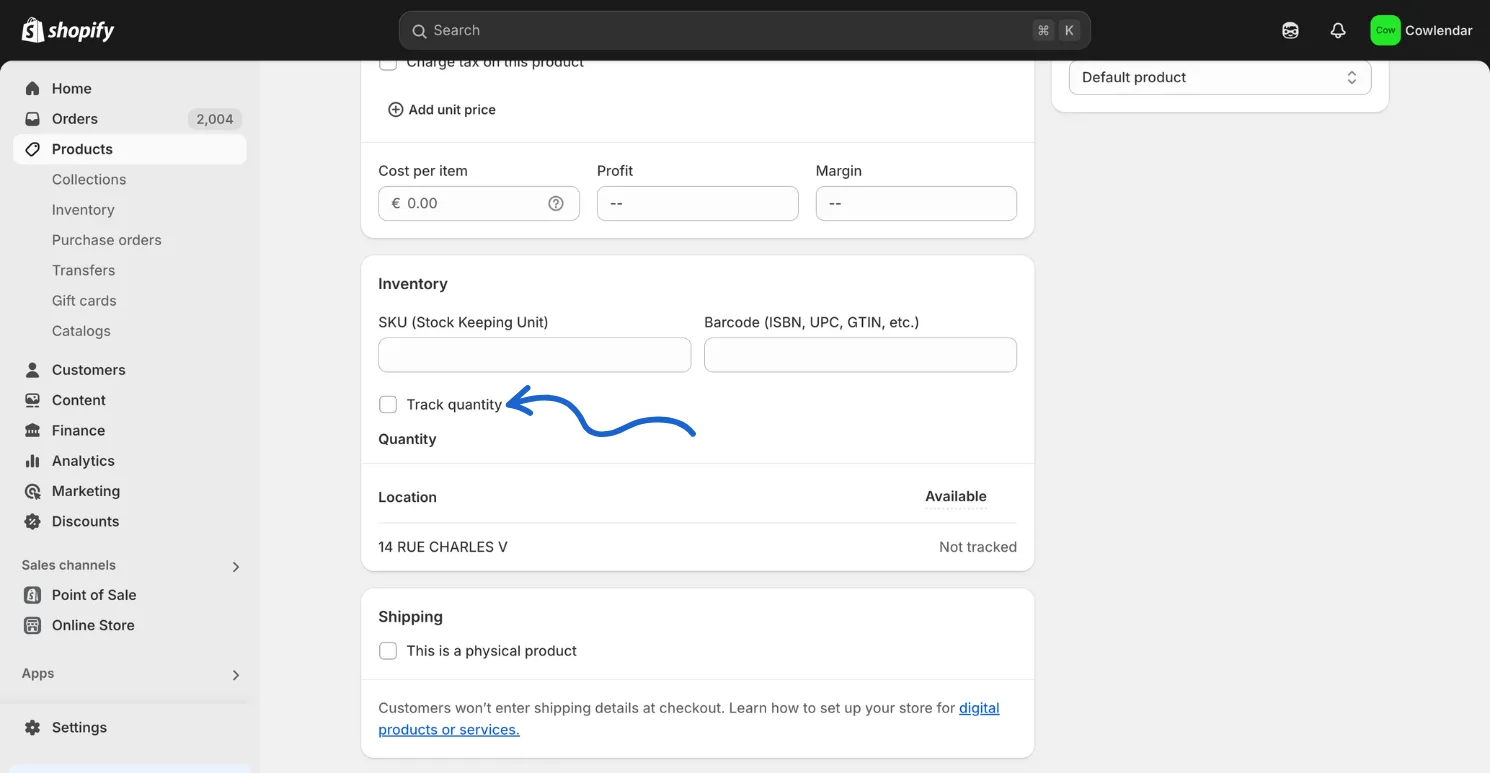
And voila! You have set everything up for the Cowlendar Booking App to work smoothly. Great job! 😄
Did this answer your question?