
🗓️ How to block dates across all services?
Block dates across all services simultaneously for business-wide closures.
This is perfect for when you are going on vacation or even have to close a date out last minute to deal with an emergency
Steps for blocking dates across all services
- In your Shopify admin dashboard look at the left panel and click on Apps.
- Click on Cowlendar.
- Click on Settings, then General settings.
- Go to Blocked times and click Add a blocked date.
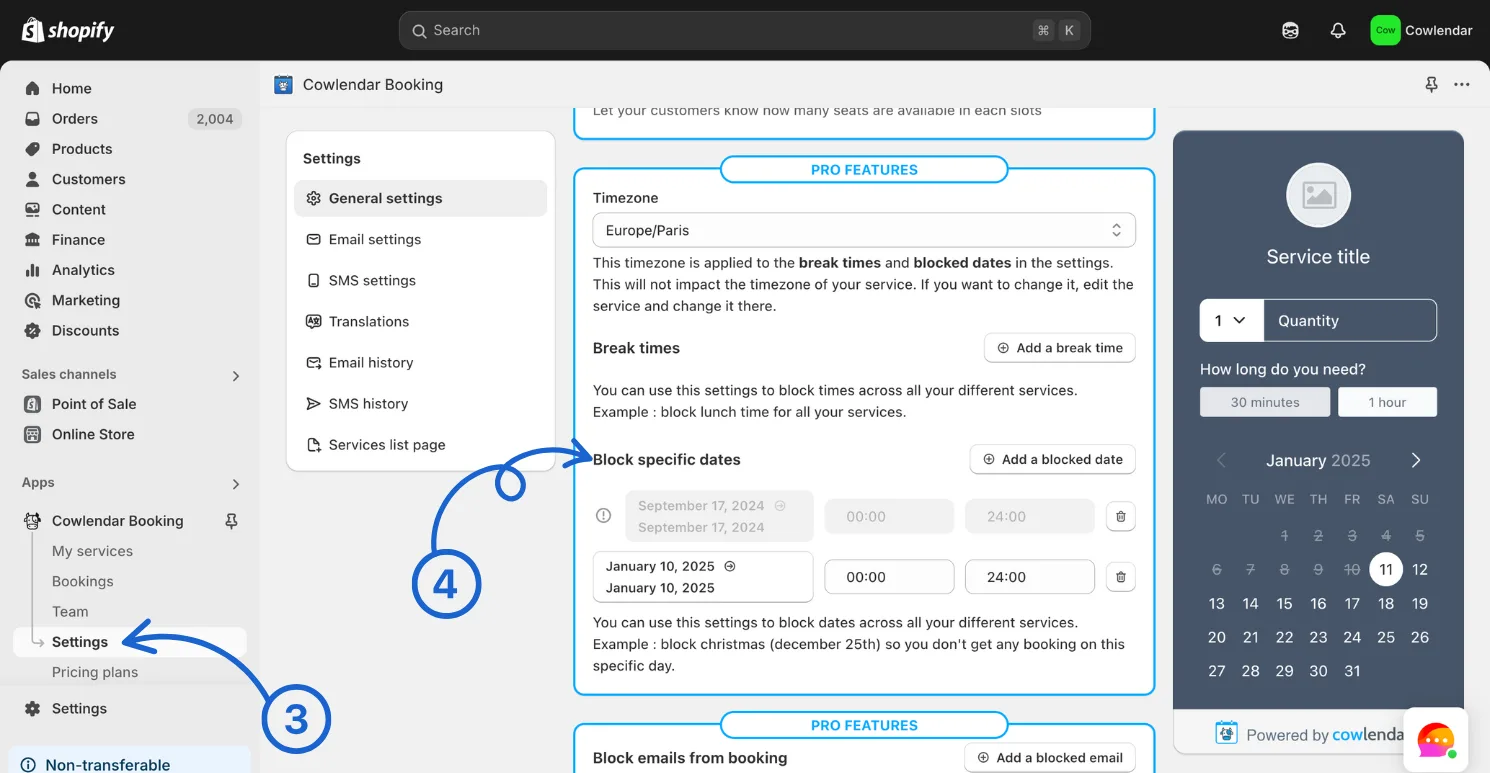
Bonus : you can block a specific date. In the picture below i've blocked January 10th to January 10th from 00h to 24h meaning the entire day won't be bookable.
If there is a greyed out date this means it has already passed and cannot be edited (but can be deleted)
Did this answer your question?