
🔢 How to set a minimum number of participants required to book a service?
Require a minimum number of participants before a service booking is confirmed.
This is perfect if you want to require a minimum number of bookings or quests when making a booking
This could be for a variety of reasons such as:
- Group bookings
- Spa packages
- Restaurant reservations
- Event space rentals
Steps to set a minimum number of participants required to make a booking
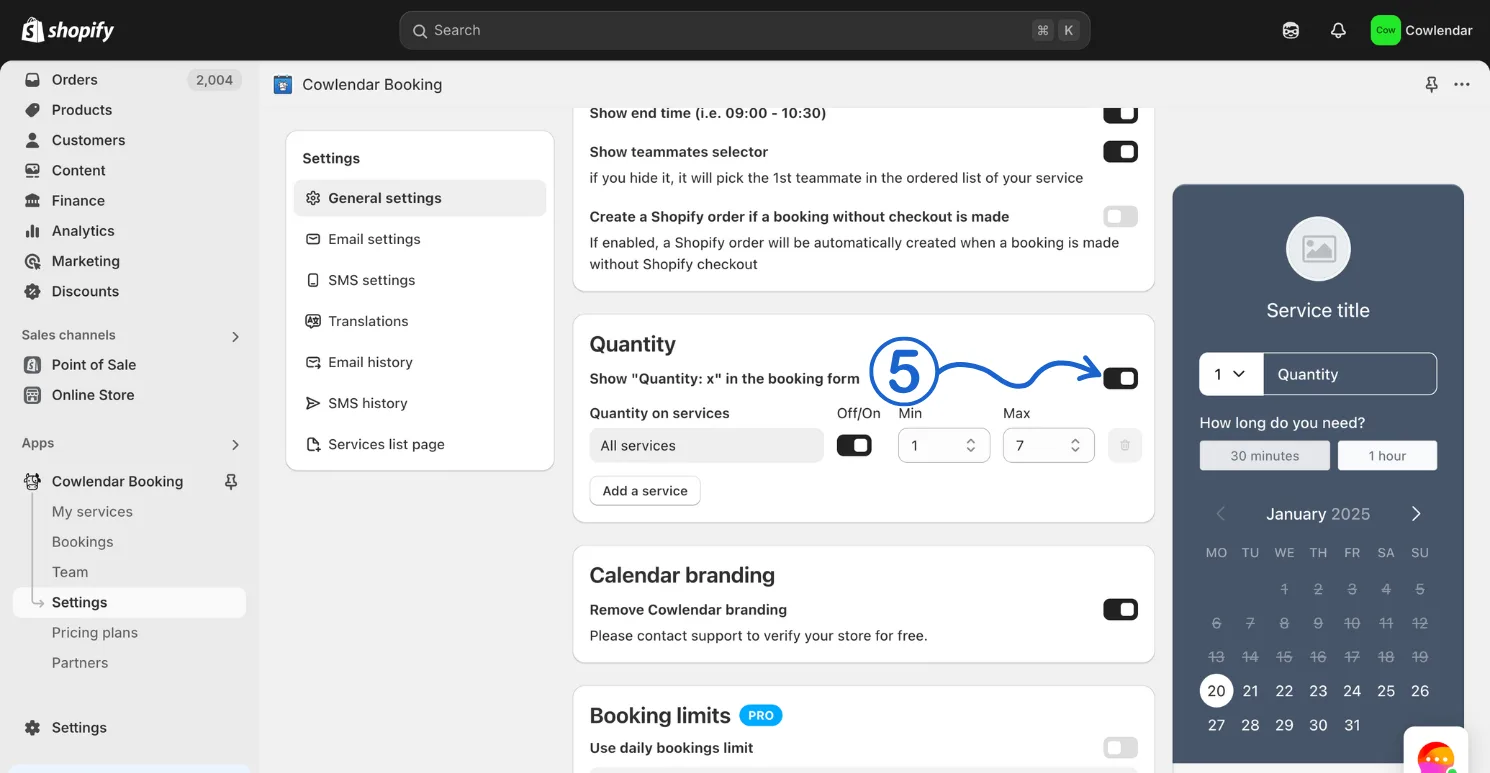
In your Shopify admin dashboard look at the left panel and click on Apps. Click on Cowlendar. Click on Settings. Scroll down a bit and find Quantity. Enable the quantity selector.
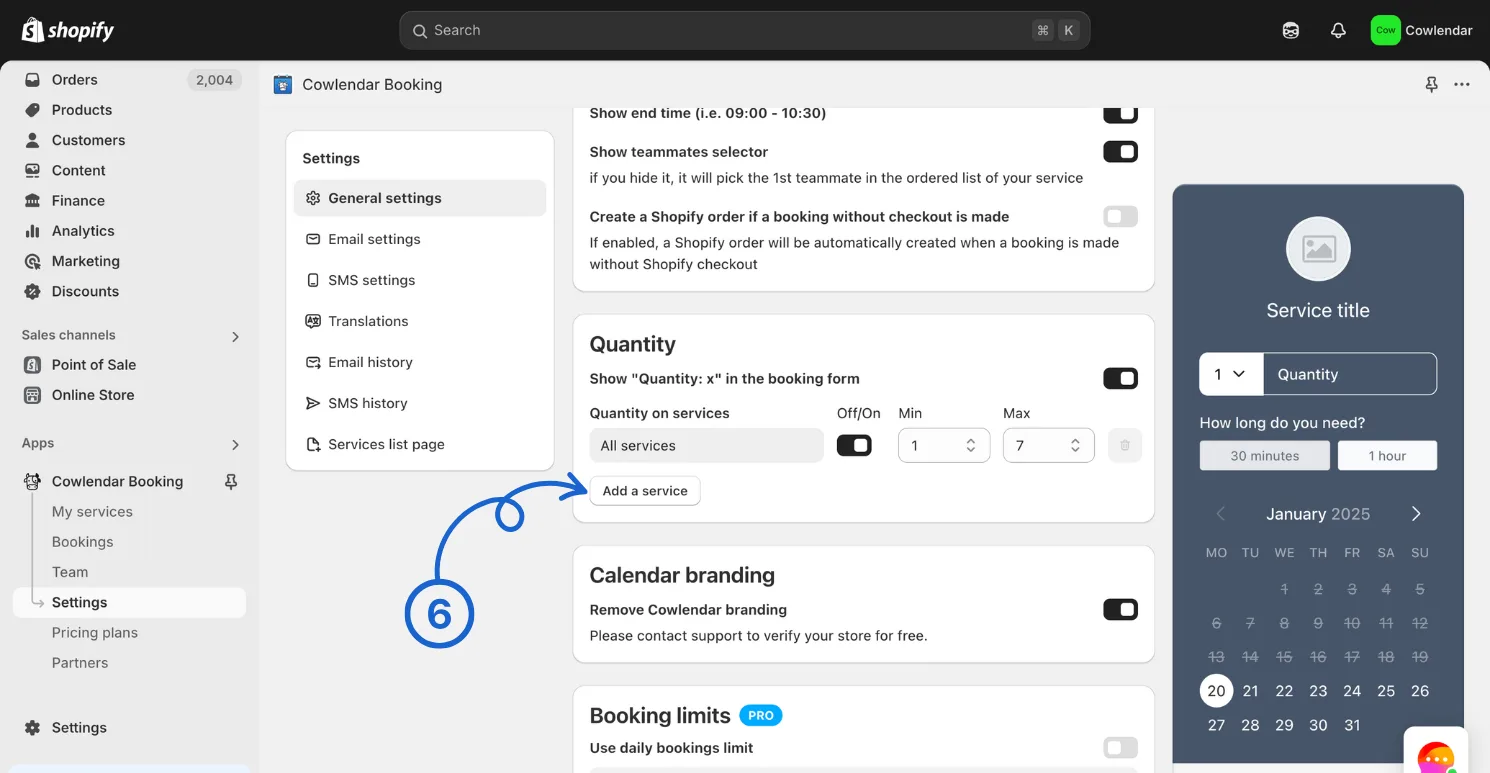
Click on Add a service.
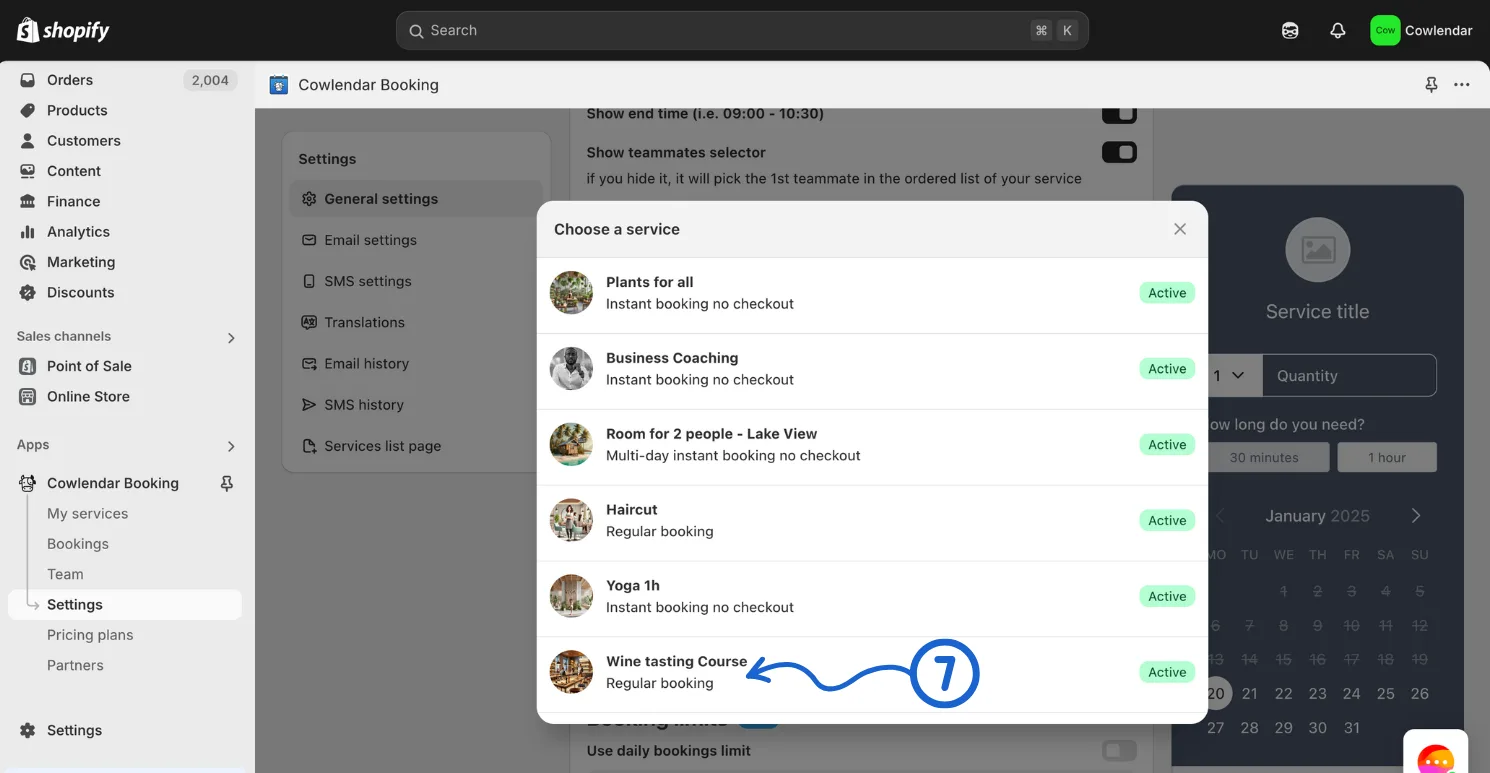
Add the service you want to force a minimum quantity.
Set the minimum.;
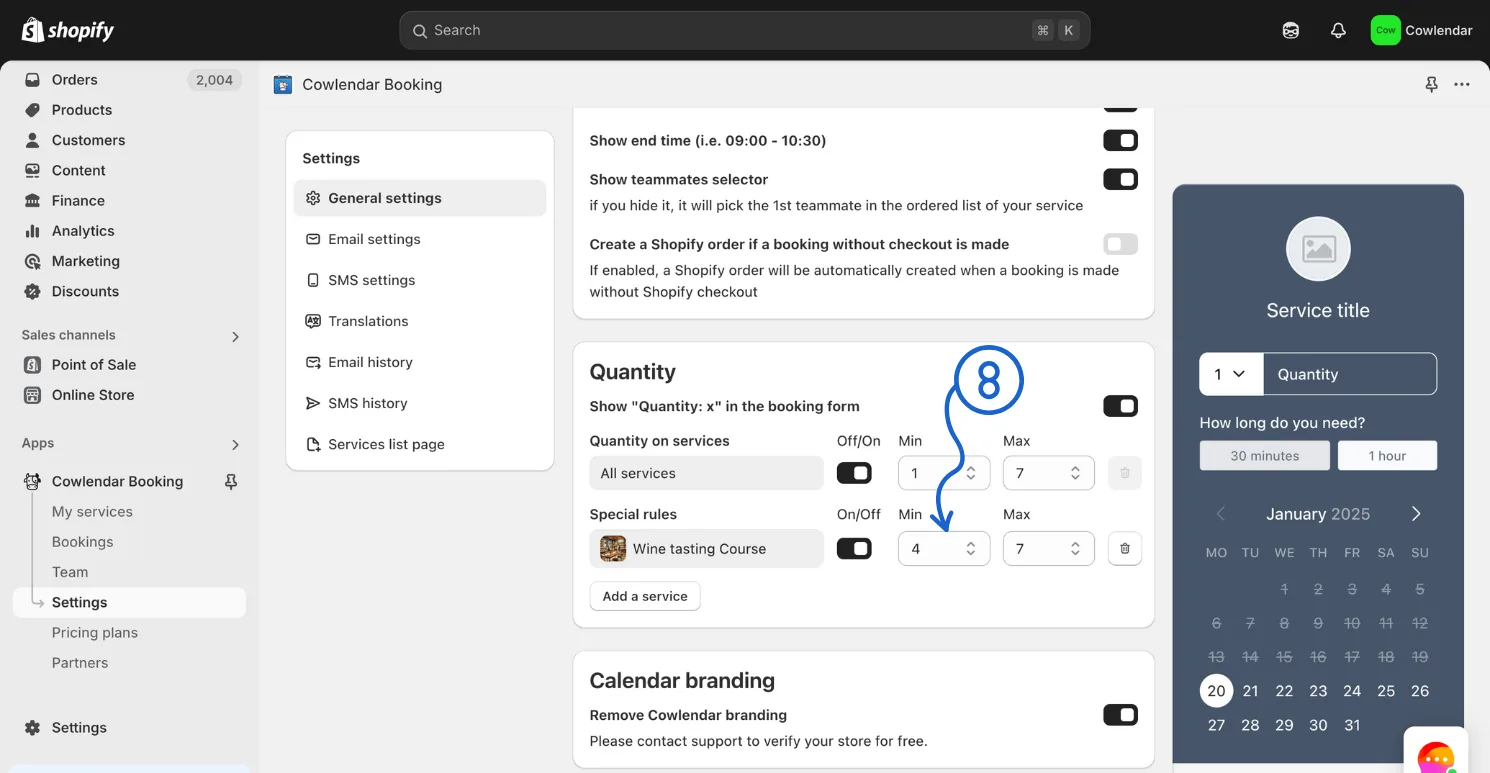
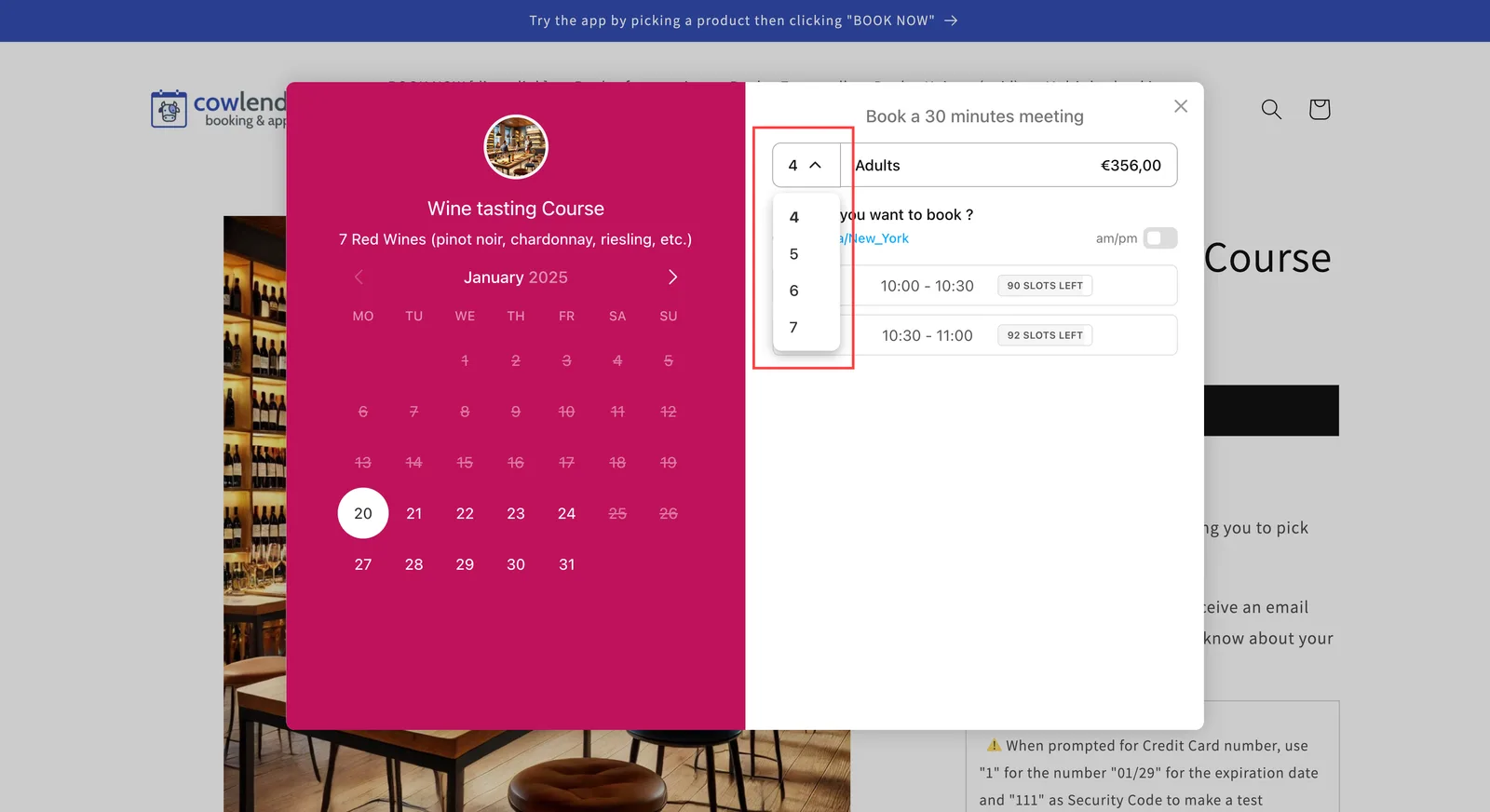
Notice how the Minimum is 4 and the Maximum is 7. This means the customer will be forced to have a minimum quantity of 4 and can select up to 7 if needed.
- Click save before leaving :innocent:.
Did this answer your question?