
🧙 How to Add a Cowlendar to Your Google Business Profile
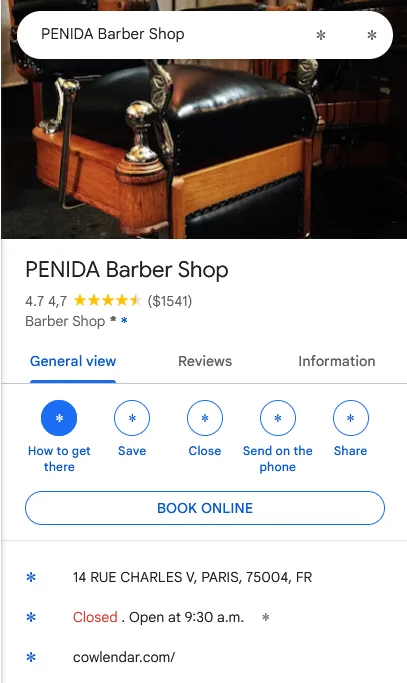
Add a booking link to your Google Business Profile to accept bookings from Google Search and Maps.
Steps for using the direct link feature
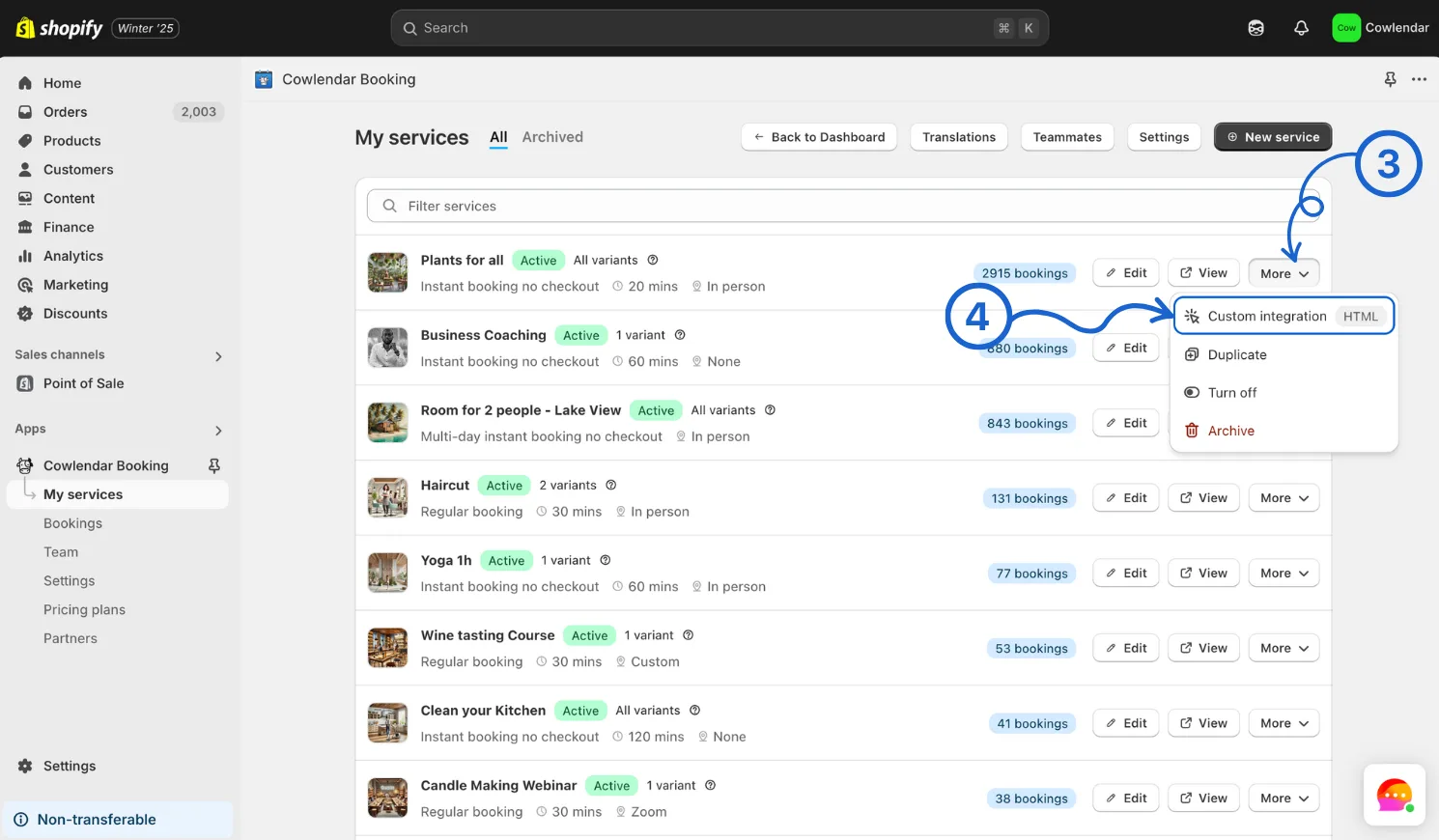
- Click on Cowlendar
- Click on My Services
- On the specific service you want to display click on More
- Click on Custom integration
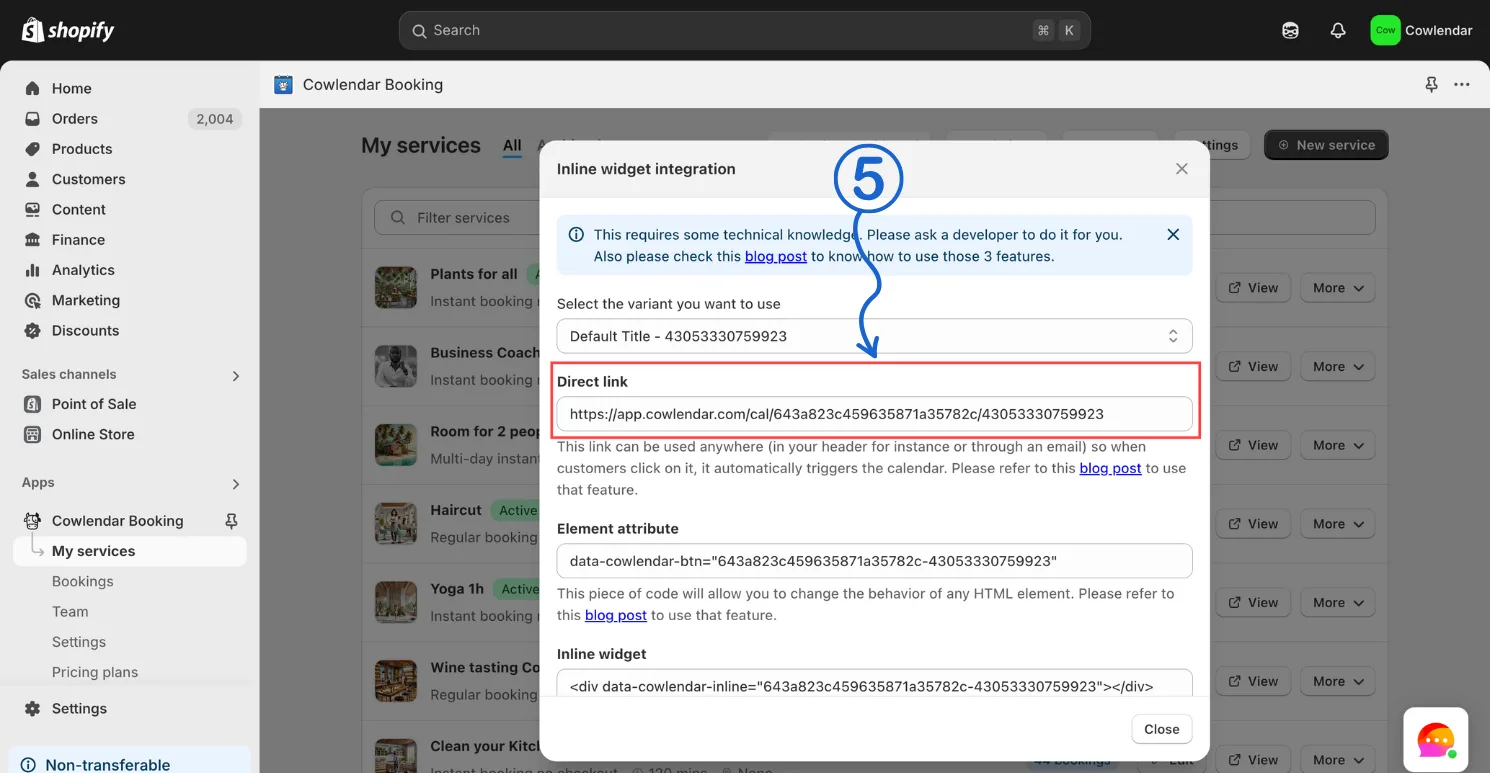
- Copy the direct link
Add the Booking URL to Your Google Business Profile
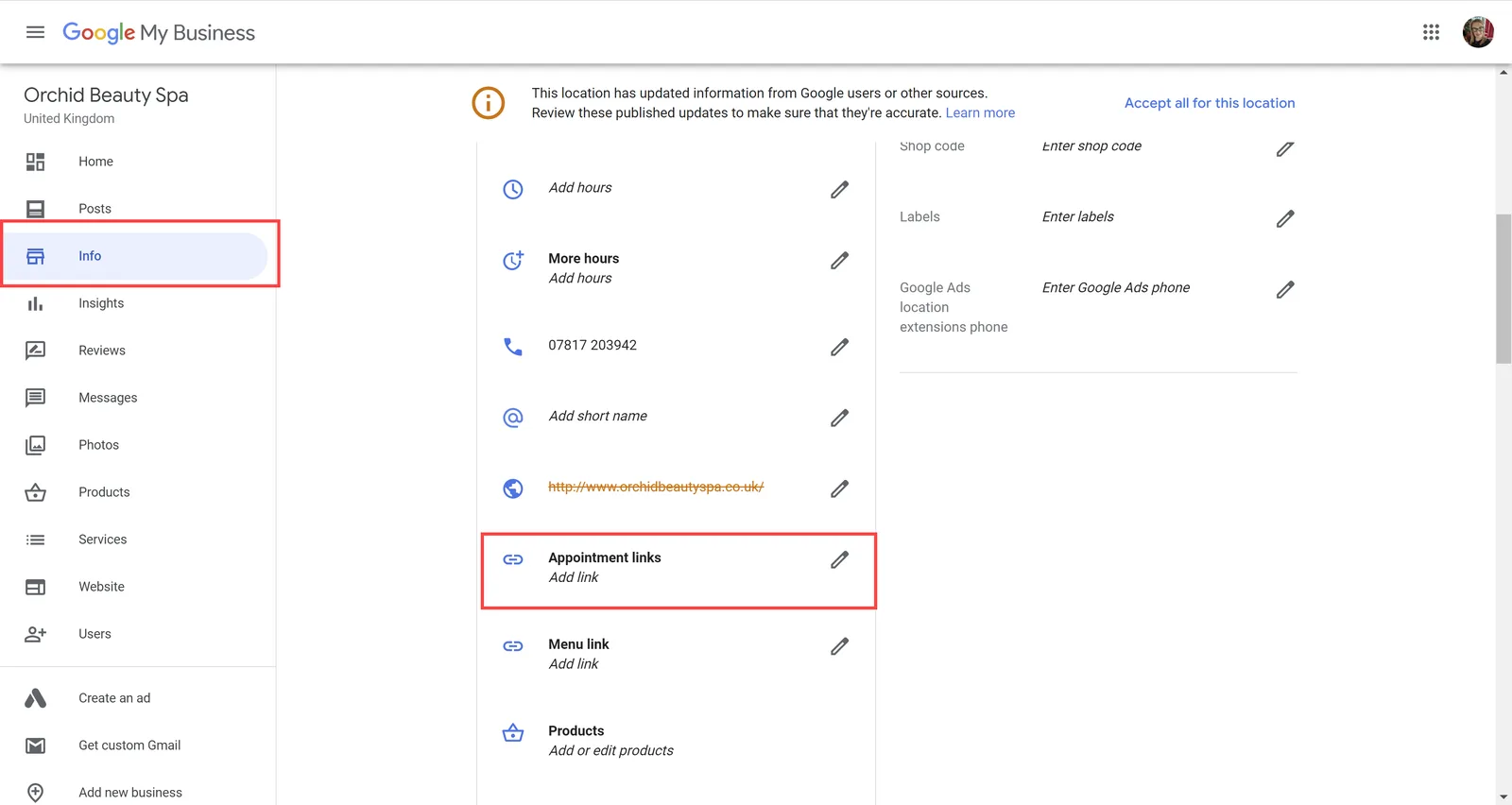
- Go to https://business.google.com/ and log in.
- Select the location you want to edit.
- In the left menu, click Info.
- Scroll to the Appointment links (or Book URL) section.
- Click the pencil icon to edit and paste your Cowlendar Direct Link.
- Click Apply or Save at the bottom.
Once saved, the Book online button will appear on your Google Business Profile. Customers can click it to jump straight into your Cowlendar booking flow for that service.
Did this answer your question?