
🔓 How to block timeslots on all services?
Block time slots across all services simultaneously for breaks or team meetings.
This is great for when you are running a solo business and are ill/sick running a solo or maybe you simply want to close for the holidays
Steps for blocking a timeslot on all services
In your Shopify admin dashboard look at the left panel and click on Apps. Click on Cowlendar. Click on Settings, then General settings. Go to Blocked times and find Break times.
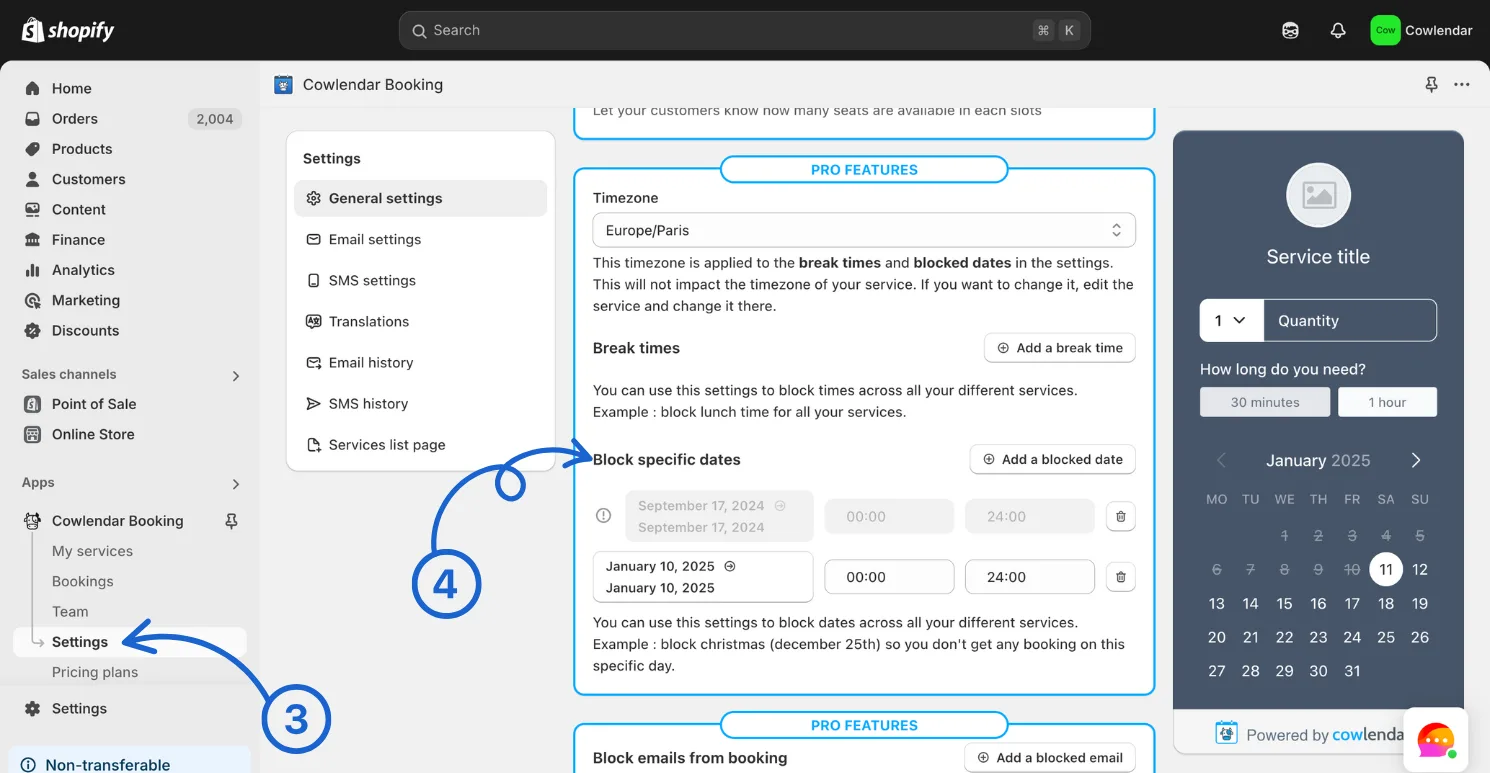
You will add the date you want to block and a start and end time that matches the timeslot you want closed.
Example: If you want to block a timeslot that is on January 10th from 12:00 - 13:30. Then you would add January 10th -> January 10th from 12:00 - 13:30
Did this answer your question?