
↪️ Redirect After Booking: Send Customers to a Thank-You Page
Redirect your customers to a thank-you page after an instant booking in Cowlendar. Where the option is, which services have it and how to use it for tracking.
After a customer completes an instant booking, Cowlendar can send them to a page of your choice, for example a "Thank you" page on your store. It is handy to show extra information, upsell something else, or track conversions on a specific page.
Where to find it: My services > Edit on a service > Customization tab > card Redirect after booking.
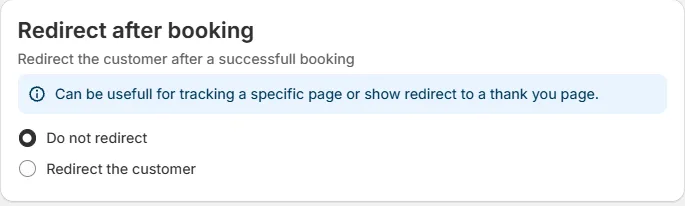
Redirect the customer after a successful booking. Cowlendar adds a hint: it can be useful for tracking a specific page or to redirect to a thank-you page.
Which services have this option?
Only instant booking services (no checkout) have the card. With checkout, the customer already goes through the Shopify checkout and its own confirmation page.
| Service type | Has Redirect after booking? |
|---|---|
| Regular instant booking no checkout | Yes |
| Multi-day instant booking no checkout | Yes |
| Fullday instant booking no checkout | Yes |
| Any service with checkout | No |
How to set it up
- Open My services and click Edit on an instant booking service.
- Go to the Customization tab.
- Find the card Redirect after booking.
- Choose Redirect the customer. The default is Do not redirect.
- A field appears for the address (URL) of the page where you want to send the customer. Enter the full address, for example the URL of your thank-you page.
- Save the service.
Use it for tracking
A dedicated thank-you page gives you a clean address to measure. With Settings > Tracking pixels you can send booking events to Meta and Google, and the redirect lets you also count visits to your thank-you page in your analytics tool. See How to Set Up Tracking Pixels.
Common questions
The redirect does not appear in my service.
Check the type of booking in the General tab. The card only exists for instant booking no checkout services.
Can I use a different page for each service?
Yes. The setting belongs to each service.
Cette réponse a-t-elle résolu votre question ?